
AI LED Banner:Flashing Message
Not claimedTurn your phone into an LED Banner for concerts, parties, sports events, airport…
By HK PIXEL HARBOR INTERACTIVE LIMITED · UtilitiesWhy we expect it: A clear, useful idea with event-based templates and well-explained features that should appeal to many users.



About
Turn your phone into an LED Banner for concerts, parties, sports events, airport pickups, announcements, and more.
Type your message, choose how it looks, and play it in full screen. You can create scrolling text, display Big Text, try neon styles, or start with a ready-made template.
Create Big, Scrolling Text
Make your message easy to notice with a customizable LED Scroller: • Enter your own text and display it in full screen • Change the text size, font, color, style, outline, and shadow • Choose the scrolling direction • Adjust the scrolling speed • Add flashing and animated text effects • Use emojis and symbols in your message • Preview your changes while editing
Templates for Different Moments
Not sure where to start? Choose a ready-made template and replace the sample text with your own message.
Templates are available for occasions such as: • Concerts and fan support • Birthdays and celebrations • Sports games and team cheering • Parties and festivals • Airport pickups and welcome signs • Sales and announcements
Customize Your LED Banner
Adjust the text, colors, effects, and background to match the moment: • Choose a background color or image • Use static or animated backgrounds • Add borders and decorative effects • Upload your own background image • Combine different text and background styles • Save your creation for later use
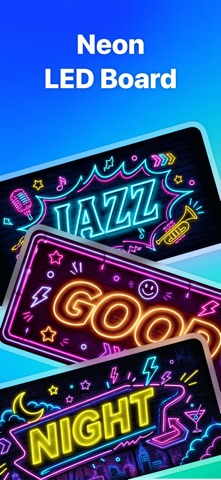
Create a Neon Sign
Switch to Neon mode when you want a softer glow or a more colorful look. Try different neon colors, outlines, rainbow effects, flashing text, and glow styles to create your own Neon Sign.
Explore Light Tools
People rate it
Sign in to rate this app. Honest is what counts.
No ratings yet. Tried it? Be the first to rate it.