
Audio Spectrogram Analyzer
Not claimedAudio Spectrogram Analyzer turns audio and video files into detailed spectrograms that…
By Ethan Davis · Utilities


About
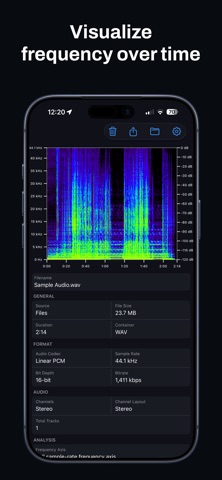
Audio Spectrogram Analyzer turns audio and video files into detailed spectrograms that show frequency content over time.
Open a file from Files, iCloud Drive, or another storage provider available through the Files app. Analysis runs on your iPhone, and the spectrogram fills from left to right as it processes the file.
SPECTROGRAM
Time runs from left to right, frequency runs vertically, and color represents the signal level in decibels.
Choose Full sample-rate to view frequencies up to the file's sample rate, or Nyquist / half-rate to focus on the lower half of the spectrum. Standard and high-resolution audio files are supported.
FILE INFO
View details about the selected file, including:
• Duration and file size • Container and audio codec • Sample rate • Bit depth when available • Bitrate • Channels • Analysis status
Some information may be unavailable depending on the file or format.
MULTIPLE AUDIO TRACKS
If a file contains more than one audio track, use Previous and Next to switch between them. The selected track is analyzed separately.
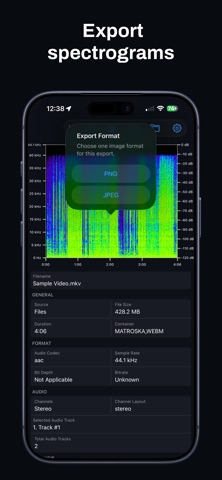
EXPORT
People rate it
Sign in to rate this app. Honest is what counts.
No ratings yet. Tried it? Be the first to rate it.