
Bible Pocket: Study & Notes
Not claimedBible Pocket brings sermon recording, personal notes and daily Bible reading together…
By 凯静 陈 · EducationWhy we expect it: A thoughtful, well-described app that combines sermon recording, personal notes and Bible study in one free tool.





About
Bible Pocket brings sermon recording, personal notes and daily Bible reading together for Christians.
A church service, a small-group study or a quiet devotional can leave you with a verse to revisit, a question to explore or a thought to put into practice. It is easy to lose the details as the day moves on. Bible Pocket helps you keep the message and your own reflections together, so you can listen in the moment and return to what matters throughout the week.
WHY CHOOSE BIBLE POCKET?
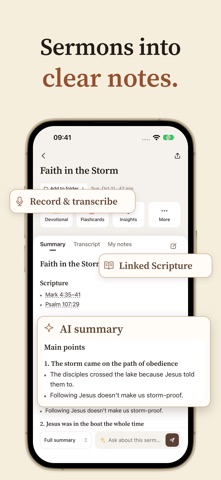
- Sermon Recording & Personal Notes: Record a sermon or group discussion and write down your thoughts as you listen. Replay the audio when you want to reflect again. You can also import an audio file or, where available, submit a YouTube sermon link.
- AI Transcription & Clear Summaries: With your permission, turn spoken messages into transcripts, summaries and key takeaways. Revisit the text, follow linked Scripture and keep your personal notes alongside the teaching.
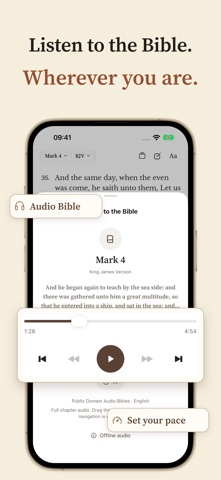
- Bible Reading & Deeper Study: Read by chapter or verse, highlight passages and add verse notes. Explore biblical context and everyday application with AI study tools, then ask follow-up questions about Scripture or your sermon notes.
- Flashcards & Discussion Guides: Return to a message after the recording ends. Review its ideas with flashcards and use discussion guides to bring questions and reflections into your next small-group conversation.
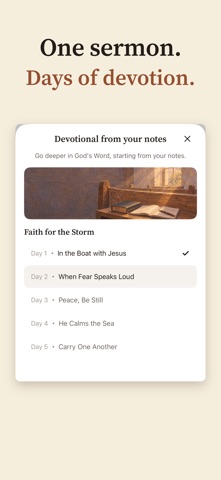
- Daily Devotionals & Reflection: Make room for regular time in Scripture. Read daily devotionals or turn a sermon into a devotional plan, revisiting its message and practical applications over the days ahead.
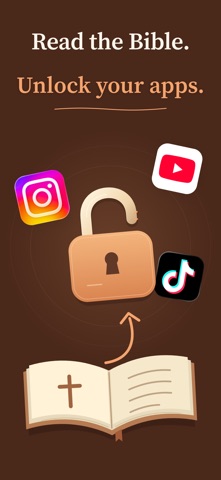
- Read the Bible, Unlock Your Apps: Choose the apps you want to set aside and set your daily reading goal. Complete the reading time in the Bible tab to unlock those apps until the next daily cycle. Reading Unlock is optional and free, requires Apple's Screen Time permission, and can be paused or stopped.
CLOUD FEATURES, YOUR CHOICE Cloud AI requires internet access and your permission. If you decline, you can still record locally, write manual notes and read the Bible. Cloud sync has a separate permission. Review or change these choices in Privacy & cloud features. AI can make mistakes; check its output against Scripture and the original message. Record or submit only content you have permission to use.
Carry Sunday's message into the rest of your week. Download Bible Pocket to keep your reflections close and build a daily Scripture reading habit.
We welcome your questions, ideas and feedback: support@calvityai.com
People rate it
Sign in to rate this app. Honest is what counts.
No ratings yet. Tried it? Be the first to rate it.
More Education apps
Best new Education apps this week FluencyToolShadow a native Japanese sentence, hear your own voice back, and get scored.
 YoMoo: Read & Shadow JapaneseYoMoo turns real Japanese writing into graded reading practice: news articles, Wikipedia…
 KeyswingLearn music notes, rhythm and piano through playful practice in a magical forest.
 Uncle Math Homeschool - 6 to 8No Math Fear, Uncle Math Is Here
 Malachi SpeaksMalachi Speaks gives a voice to people who don't use speech
 SelvarisWatch evolution unfold in real time – on an entire planet