
BidBeside: Compare Estimates
Not claimedGetting two quotes is easy
By 泽鑫 吴 · Productivity


In short
BidBeside: Compare Estimates is a productivity app that places repair estimates side by side, showing line by line what each shop includes, leaves out, or charges extra for. It reads photos of printed or handwritten quotes on an iPhone, and it marks items as "Not listed" when a quote is silent rather than assuming they are excluded.
Summary by Debuts, based on the App Store listing.About
Getting two quotes is easy. Knowing why one is $700 cheaper is not.
BidBeside puts repair estimates side by side and shows, line by line, what each shop includes, leaves out, or charges extra for. Take a photo of each estimate, printed or handwritten, and BidBeside reads it on your iPhone.
WHAT YOU SEE • One row for each piece of work, with each shop's own words underneath • Included, not included, costs extra, or not listed, marked at a glance • The price gap, and how many items the cheaper quote leaves out • Cheaper parts flagged, such as aftermarket instead of OEM • Separate cash and card prices, and duplicate photos of the same bid
WORKS WITH Contractor bids, plumbers, HVAC, roofers, painters, fence builders, auto body shops, and more. Take a new photo or choose one from your library. Printed estimates and handwritten notes both work.
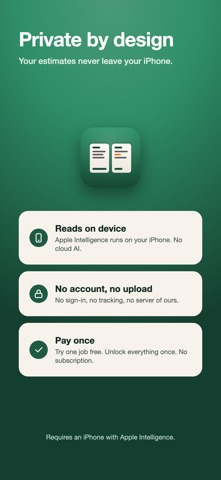
PRIVATE BY DESIGN BidBeside reads each estimate with Apple Intelligence on your iPhone. Your photos and quotes stay in the app on this device. No account, no sign-in, no analytics, and no server of ours. If something looks wrong, you can email us a report, and you decide exactly what goes in it.
HONEST ABOUT WHAT IT KNOWS BidBeside only says an item is left out when the shop wrote that. If a quote simply doesn't mention something, you'll see "Not listed," so you know what to ask about. Totals are read from the page and compared in code, not guessed by AI. Tap any quote to fix a line the camera misread.
PRICING Try it free with one job and up to two estimates, plus a sample job. Unlock once to compare unlimited jobs and estimates on this iPhone. No subscription.
REQUIREMENTS Reading new estimates needs an iPhone that supports Apple Intelligence, with Apple Intelligence turned on. The sample job works without it.
BidBeside compares what each estimate says. It is not a contractor, an inspector, or legal advice.
People rate it
Sign in to rate this app. Honest is what counts.
No ratings yet. Tried it? Be the first to rate it.
More Productivity apps
Best new Productivity apps this week ChickMark: Habit TrackerChickMark is a simple habit tracker for routines, goals, and reminders
 Dayflint: One Thing a DayToo many priorities?
 Snappy Do ItTurn photos, text and voice into tasks, plans and more.
 Fristo CAFMFristo is the app for Fristo CAFM, the facility management software
 UhWhat? Voice NotesCatch the thought before it disappears
- BeginAnywayMorning alarm for hard tasks: set one task, prove you started, build a streak