
Centa Money
Not claimedKnow what you can spend
By Jheremiah Figueroa · Finance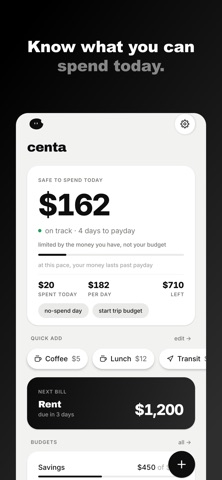


About
Know what you can spend. Before you spend it.
Centa puts one number on your home screen: what you can safely spend today. It starts from the money you have, sets aside the bills due before payday and what you are saving, and spreads the rest over the days until you are paid again. Add a coffee or a bus ride with one tap on the widget. No unlocking, no opening the app, no typing.
BUILT AROUND YOUR PAYDAY Paid monthly, every two weeks, twice a month or weekly? Your budget runs from one payday to the next, not from the 1st of the month. Centa shows how many days are left and what each one is worth.
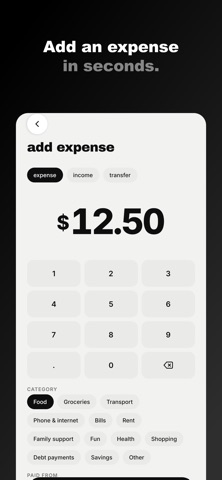
WIDGETS THAT DO THE WORK • Safe to Spend: today's number, with quick-add buttons. Also on the Lock Screen. • Quick Add: up to 8 of your own buttons, like Coffee or Lunch. One tap adds the expense. • Add Expense: a + on your Lock Screen that opens straight to a new expense. • Upcoming: days to payday, what is left per day, and your next bills. • Budgets: your busiest budgets, with a pause button. • Savings: one goal, with buttons to add money.
KNOW BEFORE YOU BUY "Can I afford it?" shows what a purchase does to today's number, your bills and your savings before you pay. Keep a wishlist and Centa tells you when each item fits.
ANY CURRENCY Dollars, euros, pounds, yen, pesos, rupees and 40 more, written the way your country writes numbers.
YOURS, OFFLINE No account. No server. No ads. No tracking. Your data stays on your phone. Back it up with a password only you know, or export to a spreadsheet.
One price. Every feature included. No subscription.
People rate it
Sign in to rate this app. Honest is what counts.
No ratings yet. Tried it? Be the first to rate it.