
Chairtax: Squat Breaks
Not claimedSitting all day is bad for you, and a reminder is too easy to click away
By Neil Joseph · Health and fitness


In short
Chairtax: Squat Breaks locks a Mac at set intervals until the user completes movements such as squats, counted by the camera with on-device pose detection. It suits people who sit at a desk for long periods and want breaks they cannot easily click away. A notable detail is that no camera frames are stored or uploaded, and the app has no account or server.
Summary by Debuts, based on the App Store listing.About
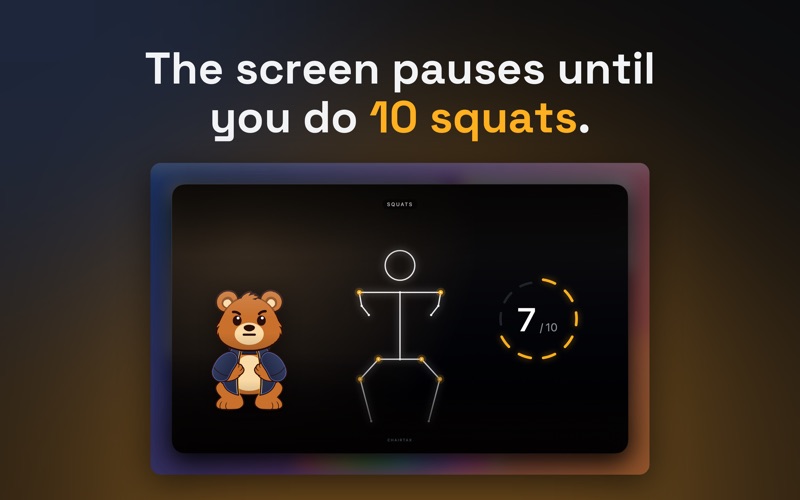
Sitting all day is bad for you, and a reminder is too easy to click away. Chairtax locks your Mac at the interval you set, and the only way back in is to get up and move: the camera counts your squats, or one of five other movements, and gives the screen back when you're done.
HOW A BREAK WORKS A notice appears 30 seconds before each break. When the break starts, the camera opens and Chairtax counts your reps with body-pose detection that runs on your Mac. Bearly, a bear in a navy hoodie, does the movement next to your count and reacts as you go. When you reach your target, the screen comes back and the break goes on your record.
MOVEMENTS Pick one of six movements the camera counts: squats, chair stands, jumping jacks, high knees, overhead reach or side bends. On days the camera can't see you, you can type a phrase instead.
Set 5, 10, 15 or 20 reps per break, a break every 15, 30, 45 or 60 minutes, the hours of your workday, and weekdays or every day.
RANKS Your rank decides how hard a break is to skip. • Cub: the break is a card over your work. You can dismiss it, and dismissing ends your streak. • Brown bear: the screen is covered. You get two skips a day and can still switch apps. • Grizzly: the screen stays covered until the reps are done, with no skips.
GETTING OUT OF A BREAK Every rank has Emergency override, which gives the screen back after 60 seconds. If no one is in front of the camera for 30 seconds, the break ends as "no signal". A break never lasts longer than 15 minutes.
If another app is using a camera or microphone when a break is due, as on a video call, the break waits five minutes. If you have been away from the Mac, it is rescheduled. From the menu bar you can pause breaks for 1, 2 or 4 hours, until the next morning, or until you resume them.
YOUR RECORD Chairtax keeps your streak, your reps in total and the award shields you earn, and shows the last 14 days of reps. Setup turns your age, weight and schedule into an estimate of the energy your breaks use each week and each year.
PRIVACY The camera is the only permission Chairtax asks for. Pose detection runs on your Mac with Apple's Vision framework. No frame is stored, uploaded or shown to anyone. Chairtax has no account, no analytics and no server, and your settings and records stay on your Mac.
REQUIREMENTS macOS 14 or later and a built-in or external camera. The typed phrase works without one.
People rate it
Sign in to rate this app. Honest is what counts.
No ratings yet. Tried it? Be the first to rate it.
More Health and fitness apps
Best new Health and fitness apps this week Orbit: Self-Care Habit TrackerYour healthy choices deserve more than a checkmark
 Wellbeing: Digital WellbeingBillions of people spend more time scrolling than they want to
 Vigia: meds & family healthVigia keeps your health and your family's in order: a child, a parent, a partner
 Pinfall: Bowling StatsPinfall is the bowling score tracker for league bowlers who want to get better, not just…
 Nuchronic: Energy & SymptomsTrack your energy and symptoms in seconds
 Drrreong - Sleep RecorderWhat did your night sound like?