
Chipix: Photo to Pixel Art
Not claimedChipix turns your photos into retro pixel art in seconds
By WORLDTREND G.K. · Photo and videoWhy we expect it: Clear value, on-device privacy, and a well-explained feature list make this a compelling pixel art debut.



About
Chipix turns your photos into retro pixel art in seconds.
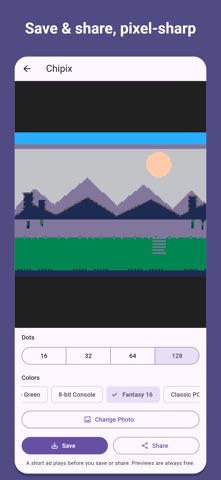
Pick a photo, choose how many dots and which colors to use, and watch it become pixel art. Try as many combinations as you like — previews are always free.
- Four sizes: 16, 32, 64, or 128 dots on the long side - Palettes: full color, 16 colors, 8 colors, and four retro styles (Retro Green, 8-bit Console, Fantasy 16, Classic PC) - Crisp export: your pixel art is enlarged without blurring, so every dot stays sharp - Save to your photos or share it directly - Private by design: your photos are processed on your device and never uploaded - No account needed
Saving or sharing your pixel art is unlocked by watching a short ad. Previews never require an ad.
People rate it
Sign in to rate this app. Honest is what counts.
No ratings yet. Tried it? Be the first to rate it.