
ChipMeter
Not claimedChipMeter helps you understand how your Mac uses CPU, GPU and memory
By Youru Tan · Utilities




About
ChipMeter helps you understand how your Mac uses CPU, GPU and memory.
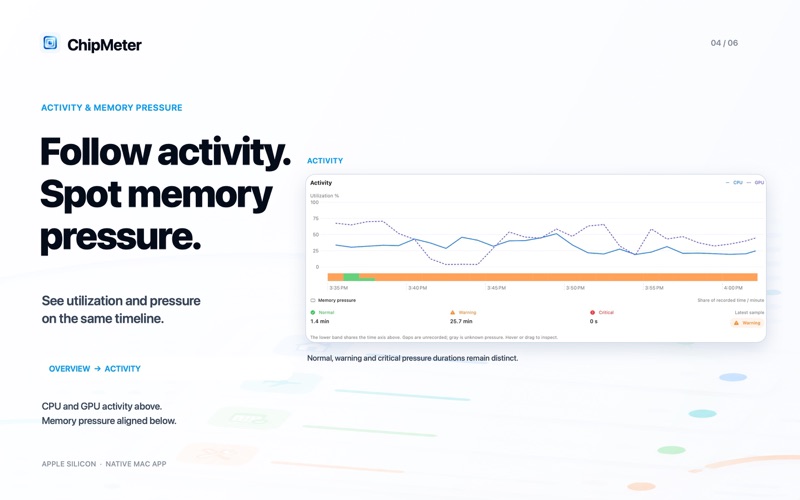
Check current utilization and memory pressure from the menu bar. Review time-weighted averages for the last hour, since boot and your recorded history, with coverage showing how much time was actually observed.
Keep CPU core-hours, GPU busy hours and memory GB·h alongside an activity chart and memory pressure durations. M1 references use Apple-published CPU and graphics comparisons, with cross-generation calculations clearly marked as estimates. Configurations, sources and limits are shown. Published peak claims are not guaranteed speedups. They are not a benchmark run on your Mac or a measure of completed work.
Recording starts automatically on first launch, with a brief introduction and a pause control. Pause at any time and export PNG or JSON reports. A complete SQLite history backup is available in settings. History stays on your Mac; ChipMeter has no developer account, ads, third-party analytics or automatic upload.
Requires an Apple silicon Mac with macOS 26 or later. GPU readings depend on the system and may be unavailable on some configurations.
People rate it
Sign in to rate this app. Honest is what counts.
No ratings yet. Tried it? Be the first to rate it.