
Clover: Personal Finance
Not claimedMonths of finances
By Clover Innovations OPC · FinanceWhy we expect it: The thorough description clearly shows how the app brings banks, uploads, budgets, and shared expenses together in one place.



In short
Clover: Personal Finance brings bank accounts, statements, receipts, and manual records into one place to track spending, budgets, savings goals, and bills. It suits people who want to review and understand their own money, and it includes an AI adviser that answers questions about recorded transactions. One notable feature is Circles, which lets households or groups split bills and manage shared budgets and goals.
Summary by Debuts, based on the App Store listing.About
Months of finances. Organized in minutes.
Connect supported banks, upload financial records, or add transactions yourself. Clover brings your finances together so you can understand your money and plan for what matters.
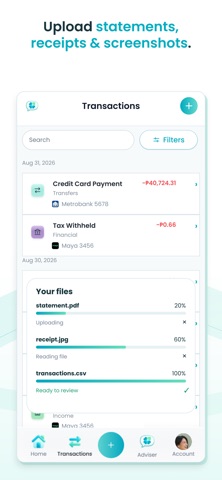
Start your way Connect supported bank accounts to retrieve balances and transactions. Upload statements, receipts, screenshots, or spreadsheets. You can also enter records manually.
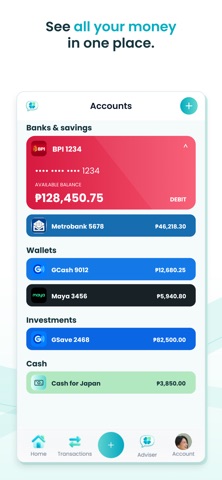
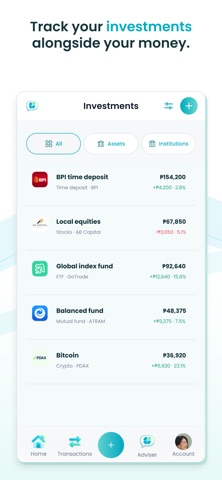
See your money in one place Keep track of bank accounts, wallets, cash, investments, and debts. Find transactions and organize them with categories and tags.
Understand where your money goes Explore charts and reports to understand spending patterns, compare periods, and see what changed.
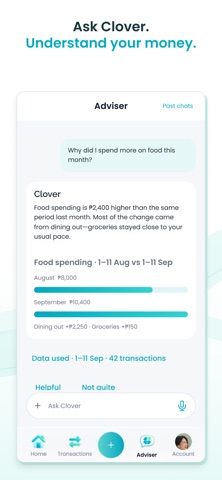
Ask Clover about your finances Ask questions like "Why did I spend more on food this month?" Clover's AI Adviser uses your records to help explain changes and explore your finances.
Plan for everyday life Create budgets, follow savings goals, and keep track of upcoming bills, installments, and money owed to you.
Make shared money simpler Split bills with friends and see who paid and who still owes. Create Circles to organize shared expenses, budgets, and goals with your household or group.
You review. Clover learns. Review suggested details from your uploads before confirming them. Clover learns from your corrections to help improve future imports.
Choose what fits Start with Clover Free, or choose Plus or Pro for higher allowances and additional features, including supported bank connections.
Bank connections are available for selected institutions, countries, and account types. Features and usage limits vary by plan. Import results vary by file and institution. AI suggestions may be inaccurate; review important details. Clover does not move money on your behalf.
Terms of Use (EULA): https://www.apple.com/legal/internet-services/itunes/dev/stdeula/
People rate it
Sign in to rate this app. Honest is what counts.
No ratings yet. Tried it? Be the first to rate it.
More Finance apps
Best new Finance apps this week NjukiYour rent should do more than pay for where you live
 Qwiky AIQuiky AI helps you understand and organise your everyday finances in one clear place
 Inflation WatchInflation Watch turns official price data into plain English
 CashbellHear every sale
 uOwe: Split Bills & BudgetuOwe keeps shared costs fair and your own money clear
 Debtless: Debt-Free by WhenYou are about to know when you will be free