
Connect to Your Printer
Not claimedPrint straight from your iPhone or iPad to any AirPrint or IPP Everywhere printer on…
By Abolfazl Rejali · UtilitiesWhy we expect it: A clear, privacy-first utility that solves a real everyday problem without accounts, ads, or manufacturer apps, with well-organized features and honest compatibility notes.



About
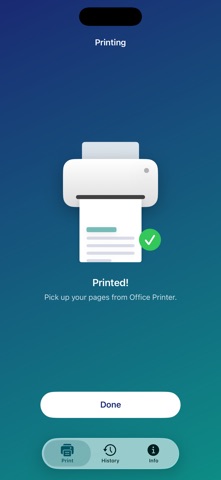
Print straight from your iPhone or iPad to any AirPrint or IPP Everywhere printer on your Wi-Fi — without installing a manufacturer app or creating an account.
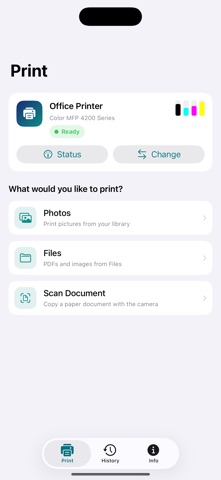
FIND YOUR PRINTER - Printers on your network appear automatically - Or add one by IP address if it doesn't show up - Works with AirPrint and IPP Everywhere printers from HP, Canon, Epson, Brother, Samsung and more - Uses an encrypted connection whenever your printer offers one
SEE WHAT YOUR PRINTER IS DOING - Ready, printing, or needs attention — at a glance - Ink and toner levels for every cartridge - Clear alerts for out of paper, paper jams, an open cover or low ink - The print queue, with the option to cancel a job - Make the printer beep or flash so you can find it in a shared office - Print a test page to check color, grayscale and alignment
PRINT ANYTHING ON YOUR DEVICE - Photos from your library - PDFs and images from Files, or sent over from another app - Paper documents captured with the camera, straightened automatically - Reorder, rotate, crop, enhance or remove pages before printing
CONTROL HOW IT PRINTS - Copies and page ranges - Paper sizes read from your own printer - Portrait, landscape or automatic - Fit to page or fill the sheet - Color or black & white, two-sided, and draft/normal/best quality - A preview that shows exactly how the page lands on the sheet
PRINT AGAIN IN ONE TAP Everything you print is kept in History on your device, so reprinting is a single tap.
PRIVATE BY DESIGN No account, no server, no analytics, no ads, no tracking. Documents go straight from your device to the printer you pick. The app only ever sees the photos and files you choose.
Not affiliated with, endorsed by, or sponsored by any printer manufacturer. Brand names are used only to describe compatibility.
People rate it
Sign in to rate this app. Honest is what counts.
No ratings yet. Tried it? Be the first to rate it.