
Cosas: Save Anything
Not claimedA video on YouTube, a thread on Reddit, a post on X or Instagram, a recipe on some…
By Adrian Jesus Pena Rodriguez · ProductivityWhy we expect it: A thoughtfully written pitch with a clear, universal problem and a genuinely useful on-device solution.



About
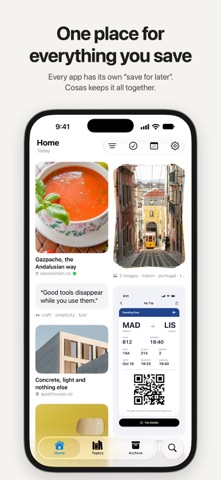
A video on YouTube, a thread on Reddit, a post on X or Instagram, a recipe on some website: everything you meant to come back to ends up scattered across each app's saved list.
With Cosas, you share it from any app and it all lands in one place. Apple Intelligence sorts it by topic on your device, and search finds it by any word in it. Web pages, photos, screenshots, video links, App Store apps and the text you select all go to one visual library on your iPhone, iPad and Mac.
WHAT PEOPLE KEEP IN COSAS • Recipes to cook and restaurants to try • Places for the next trip • Things to buy, from any online store • Articles and threads to read later • Design references, outfits, rooms and other inspiration • Screenshots of tickets, receipts, addresses and chats • Apps and games to try
SAVING Tap Share in Safari, Photos or any other app and choose Cosas. A checkmark, and it's saved; the sheet closes by itself. Share several photos at once and they stay together on one card. Links come in with their title, cover and site, App Store links with the app's icon and developer, and Reddit posts with their card.
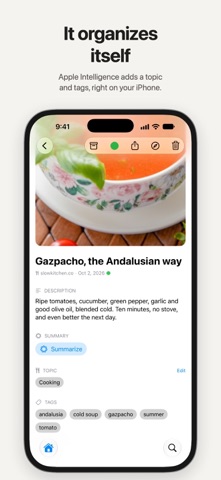
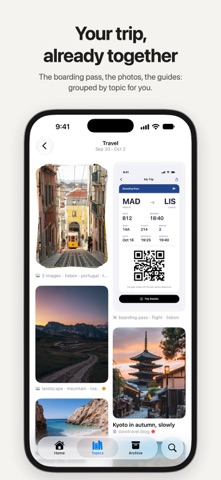
ORGANIZING Each thing you save gets a topic, like Cooking, Travel, Design or Finance, and three to six tags, written in your language by Apple Intelligence on your device. Cosas also reads the text in your screenshots, so a screenshot of a recipe, a ticket or a conversation can be found by what it says. If a topic or a tag is wrong, change it: Cosas never overwrites what you fix.
FINDING Search covers titles, text, tags and the words inside your screenshots. Results appear as you type, accents or not, even with thousands of things saved. Browse by topic, filter by kind, or open a day in the calendar to see what you saved then. Give things one of six colors to group them, the way you tag files in the Finder. Archive what you're done with, and get back anything you delete for 30 days.
FAST Cosas opens straight into your library and scrolls smoothly through thousands of cards. Saving never waits for the AI: things appear at once and get sorted in the background.
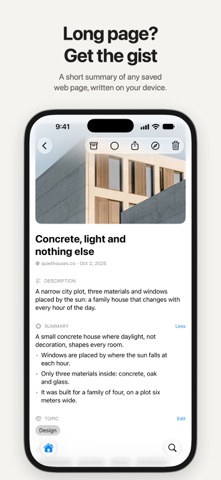
SUMMARIES For web pages, Cosas can write a short summary with the main points when you ask. It's made on your device, in a few seconds.
IPHONE, IPAD AND MAC A native app on each, with the same library everywhere through your own iCloud. On iPad and Mac, open as many windows as you like.
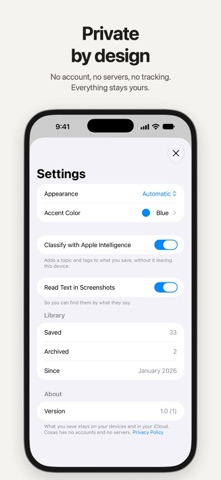
PRIVACY No account and no sign-up. Your things stay on your devices and in your private iCloud, and we never see them. Topics, tags, text recognition and summaries all run on the device, so nothing you save is sent anywhere to be analyzed. No ads, no tracking. In Settings you can turn off automatic organizing or screenshot reading at any time.
PRICE Use everything free for 5 days. After that, a single purchase keeps Cosas working for life on all your devices, and you can share it with your family. No subscription.
GOOD TO KNOW Automatic topics, tags and summaries need a device with Apple Intelligence turned on. Without it, Cosas still saves, reads the text in your screenshots and syncs, and you add topics and tags yourself.
People rate it
Sign in to rate this app. Honest is what counts.
No ratings yet. Tried it? Be the first to rate it.