
Depthcast
Not claimedDepthcast turns a video you shot walking around something — a bowl on the table, a…
By Kentaro Saito · Photo and video


About
Depthcast turns a video you shot walking around something — a bowl on the table, a statue, a stretch of rocky shore — into a textured 3D model. Everything runs on your Mac: nothing is uploaded, and there is no queue to wait in.
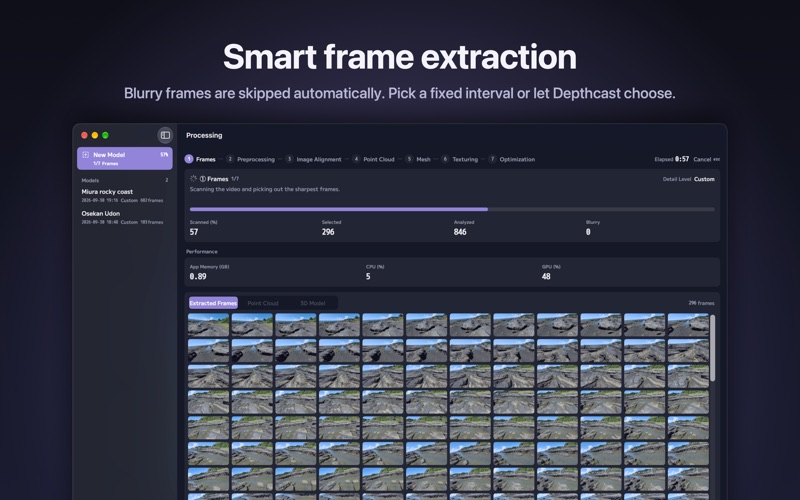
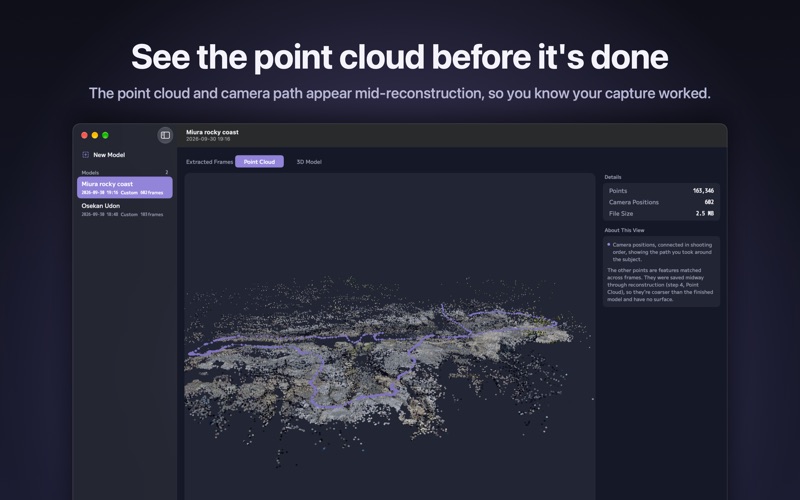
FROM VIDEO TO MODEL • Drop in a video from your iPhone or any camera (MOV or MP4, up to 4K and beyond). • Depthcast picks out the sharpest frames automatically, skipping blurry ones — or extracts one frame every few seconds, your choice. • Watch all seven steps as they run, with elapsed time, time remaining, and the app's memory, CPU and GPU use. • The point cloud and the path you walked appear halfway through, so you know early whether your capture worked.
SEE WHAT YOU MADE • Orbit and zoom the finished model. Switch between Textured, Wireframe and Overlay. • The Details panel lists polygon count, texture size, texture maps, frame count, source resolution, peak memory, processing time and every setting used. • Every model keeps its extracted frames and point cloud, so you can rebuild it later with different settings without extracting again.
SETTINGS THAT MATTER • Detail levels from Preview to Raw. • Feature Sensitivity for low-texture, plain or shiny objects. • Object Masking on for objects, off for rooms, buildings and terrain. • Automatic retry: if High sensitivity stalls during alignment, Depthcast retries at Standard and tells you on screen.
EXPORT • USDZ — textured, single file. Opens in AR Quick Look on iPhone and in Preview on Mac. • OBJ (with MTL and textures), PLY and STL for Blender, game engines and 3D printing.
FREE • Unlimited models at Preview and Reduced detail • Feature Sensitivity and Object Masking • USDZ export
DEPTHCAST PRO — ONE-TIME PURCHASE, NO SUBSCRIPTION • Medium, Full and Raw detail • Custom detail: up to 250K polygons, textures up to 16K, choice of PBR maps (Normal, Roughness, Displacement, AO), PNG or JPEG • Quad topology for easier editing • Crop to Bounding Box: rotate, trim, then crop instantly or reconstruct within bounds • Frame options: resolution, blur filter, JPEG quality • OBJ, PLY and STL export
REQUIREMENTS macOS 26 or later on a Mac that supports photogrammetry (Apple silicon, or an Intel Mac with a capable GPU). On other Macs you can open videos and review settings, but not create models.
Guide and FAQ: https://www.gyuniku.jp/apps/depthcast.php
People rate it
Sign in to rate this app. Honest is what counts.
No ratings yet. Tried it? Be the first to rate it.