
FoodScan: Scan & Log
Not claimedFoodScan turns a photo of your plate — or a product's barcode — into calories and macros…
By Denis Zaikin · Health and fitness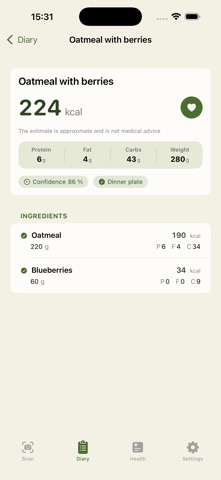

About
FoodScan turns a photo of your plate — or a product's barcode — into calories and macros in seconds.
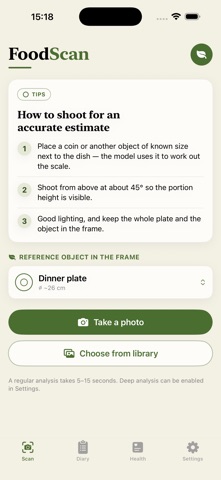
HOW IT WORKS • Put a coin, card, or plate in the frame as a size reference. • Take a photo. Your chosen AI model estimates the dish, portion weight, and calories. • Adjust any ingredient's weight and the whole card recalculates automatically.
SCAN A BARCODE • Point the camera at a packaged product's barcode. • FoodScan looks it up and shows calories, macros, ingredients, allergens, and its Nutri-Score/NOVA rating — straight from the product's real data, no estimate needed.
YOUR OWN AI KEY, YOUR OWN DATA FoodScan doesn't run its own servers. For photo scans, you bring your own API key (works with any OpenAI-compatible vision model), and your photo goes straight from your device to that provider — we never see it, store it, or sell it. Barcode lookups query the free, open Open Food Facts database. No account, no ads, no tracking.
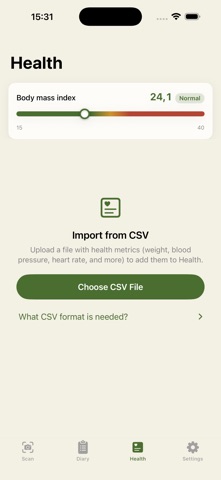
APPLE HEALTH, BOTH WAYS • Send a meal's calories to Health with one tap. • Import weight, blood pressure, heart rate, and more from a CSV export of your existing health data — FoodScan skips anything it already sees in Health, so nothing gets duplicated.
A DIARY THAT MAKES SENSE Every scan is saved locally with its ingredients, macros, and confidence score, grouped by day so you can see how a day added up.
REQUIRES YOUR OWN API KEY FoodScan needs an API key from an OpenAI-compatible vision provider (such as OpenAI or DeepSeek) to analyze photos. Get one from your provider of choice and paste it into Settings — it's stored in your device's Keychain and never leaves it.
Estimates are approximate and not medical advice.
People rate it
Sign in to rate this app. Honest is what counts.
No ratings yet. Tried it? Be the first to rate it.