
GridCal
Not claimedMost calendar apps open on a day or a week
By SOOYEON CHO · ProductivityWhy we expect it: A thoughtfully described month-first calendar with privacy, built-in holidays for 16 countries, and Apple Watch support.

About
Most calendar apps open on a day or a week. GridCal opens on the month — the whole month, first.
On Apple Watch, the full month grid fills the screen. Turn the Digital Crown to move month by month, swipe up or down to change months, swipe sideways to jump a year, and tap any date to see that day's events. A circular complication shows today's date inside a ring that fills as the month goes by.
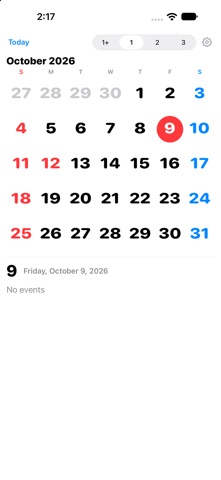
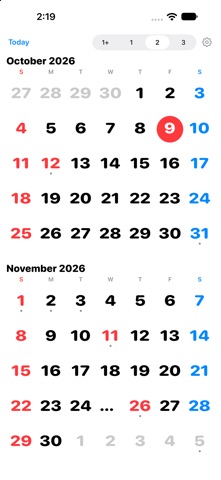
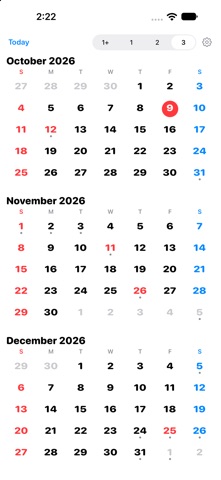
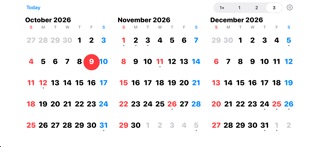
On iPhone, pick the view that fits how you plan: • 1+ — one big month, wall-calendar style, with holiday names right in the cells • 1 — one month plus a detail panel for the day you tap • 2 — two months side by side • 3 — three months at a glance
Swipe to move one month at a time, in every view.
Your calendar events appear right on the grid — a dot under days that have something on, and a full list when you tap a date.
Holidays for 16 countries are built in — no downloads, no subscriptions. Choose the countries you care about in Settings, and their holidays show in red with their names: United States, South Korea, Japan, China, Taiwan, Hong Kong, United Kingdom, Canada, Australia, Germany, France, Spain, Italy, Mexico, Brazil, and India. Holiday data covers 2025–2032.
GridCal follows your device's language and your region's first day of the week, automatically.
No account. No ads. No tracking. Your events never leave your device.
People rate it
Sign in to rate this app. Honest is what counts.
No ratings yet. Tried it? Be the first to rate it.