
Habit Tracker - HabitCal
Not claimedBuild Better Habits, One Day at a Time
By Sandip Das · Productivity





In short
HabitCal is a habit tracker built around a monthly calendar where users check off daily habits and view streaks. It supports both building new habits and cutting back on unwanted ones, plus counter habits like glasses of water or pages read. Its standout feature is a Lock Screen and Home Screen widget set for checking routines without opening the app.
Summary by Debuts, based on the App Store listing.About
Build Better Habits, One Day at a Time. HabitCal is a simple, private habit tracker and habit calendar built around your daily routine. Track your habits, see your progress, build streaks, and understand your consistency without complicated systems getting in the way.
Whether you're building a new routine, improving an existing habit, or trying to break an unwanted one, HabitCal gives you a clear place to track your days and see your progress grow over time.
TRACK YOUR HABITS WITH A HABIT CALENDAR Your habit calendar is at the heart of HabitCal. See your habits across the month and quickly check off each day with a simple tap. Completed and missed days stay visible, making it easy to understand your routine at a glance.
BUILD STREAKS AND STAY CONSISTENT Keep your momentum going with streaks and daily habit tracking. See how many days you've stayed consistent, look back at your best runs, and keep working toward the habits that matter to you.
BUILD OR QUIT HABITS Not every habit is about doing more. Create habits you want to build, or track habits you want to reduce or stop. Keep both types organized in the same simple calendar-based experience.
TRACK COUNTER HABITS Some habits aren't simply done or not done. Set a daily goal and track things you count, such as glasses of water, pages read, minutes studied, or other measurable activities. See your progress toward your daily target as you go.
SEE YOUR ACTIVITY AT A GLANCE The Activity view gives you a broader picture of your habit history. Review your daily activity and see how consistently you've been following your routine over time.
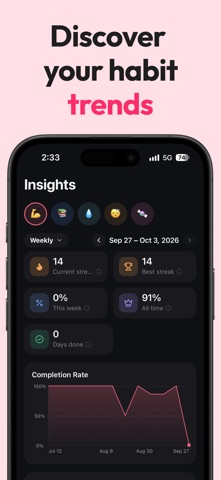
UNDERSTAND YOUR PROGRESS Use Insights to understand more than just your current streak. View completion rates, streaks, trends, and habit performance to see where you're making progress and where you may need more consistency.
HOME AND LOCK SCREEN WIDGETS Keep your habits front and center without opening the app. Check today's routine, view active streaks, and monitor your monthly progress directly from your Home Screen and Lock Screen.
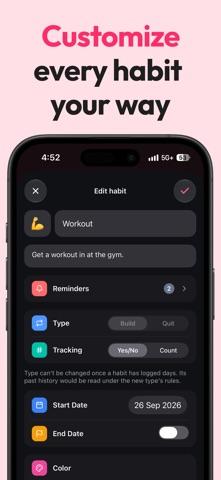
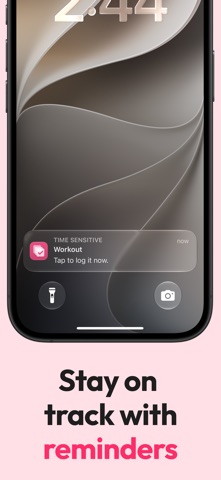
SET SMART REMINDERS Give each habit its own reminder schedule. Set reminders for the habits you don't want to forget and build them naturally into your daily routine.
ADD NOTES TO YOUR DAYS Add a note to any day to remember what happened. Record a quick thought, explain why you missed a habit, or keep useful context alongside your habit history.
MAKE YOUR HABITS YOUR OWN Customize your habits with colors, icons, and emojis. Choose an emoji to represent a habit or create your own visual style to make your habit calendar easier to understand.
People rate it
Sign in to rate this app. Honest is what counts.
No ratings yet. Tried it? Be the first to rate it.
More Productivity apps
Best new Productivity apps this week ChickMark: Habit TrackerChickMark is a simple habit tracker for routines, goals, and reminders
 Dayflint: One Thing a DayToo many priorities?
 Snappy Do ItSix connected modes. One traceable journey.
 Fristo CAFMFristo is the app for Fristo CAFM, the facility management software
 UhWhat? Voice NotesCatch the thought before it disappears
- BeginAnywayMorning alarm for hard tasks: set one task, prove you started, build a streak