
Hitome Calendar
Not claimedHitome Calendar is a simple iPhone calendar that lets you take in your schedule at a…
By Shinnosuke Sakihara · Productivity


In short
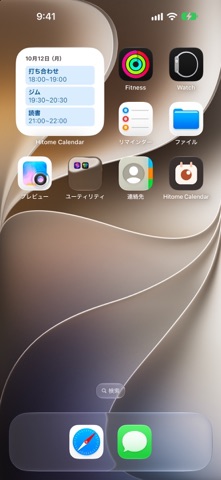
Hitome Calendar is a simple iPhone calendar with month, week and day views that syncs with Google Calendar and shows events as color-coded bands. It suits people who want only everyday scheduling features, with no sign-in required. Event details never leave
Summary by Debuts, based on the App Store listing.About
Hitome Calendar is a simple iPhone calendar that lets you take in your schedule at a glance. It keeps only the information and actions you really use every day.
- Syncs with Google Calendar Add your Google account in the iPhone Settings app, and you can view, create and edit your Google Calendar events. No sign-in required. iCloud and On My iPhone calendars are supported too.
- Clean month, week and day views - In month view, tap a date to see that day's events below - Events are shown as bands in their calendar's color, so you can tell them apart without reading - Swipe left or right to move between periods
- Simple event editing and alerts - Just title, date and time, repeat, alert and notes - Repeat daily, weekly, monthly or yearly - Tap an alert to open the event's details
- Premium (free for 1 month) - See today's events in a Home Screen widget - See your next event on the Lock Screen - Share your free time as text in a message - See the time left for an event on the Lock Screen and in the Dynamic Island (iOS 26 or later)
- About Premium subscriptions - Premium is an auto-renewable subscription, billed monthly or yearly - New subscribers get a 1-month free trial (once per Apple ID) - Payment is charged to your Apple ID at confirmation of purchase - The subscription renews automatically unless canceled at least 24 hours before the end of the current period - Your account is charged for renewal within 24 hours before the end of the current period - You can cancel from Settings > Manage Subscription in the app, or from your Apple ID in the iPhone Settings app
- Privacy Your event details never leave the app. You can turn off sending usage and crash data at any time in the app's Settings.
Terms of Use: https://hitome-calendar.ssakihara.com/en/terms Privacy Policy: https://hitome-calendar.ssakihara.com/en/privacy
People rate it
Sign in to rate this app. Honest is what counts.
No ratings yet. Tried it? Be the first to rate it.
More Productivity apps
Best new Productivity apps this week ChickMark: Habit TrackerChickMark is a simple habit tracker for routines, goals, and reminders
 Dayflint: One Thing a DayToo many priorities?
 Fristo CAFMFristo is the app for Fristo CAFM, the facility management software
- BeginAnywayMorning alarm for hard tasks: set one task, prove you started, build a streak
 DHUDEDHUDE Analityxs es la herramienta de gestión diaria para grupos de restauración y ocio…
 FTC BIOBUZZ Scorer & TrainerBIOBUZZ Scorer is a free, ad-free scorer for the 2026–2027 FTC season, built on…