
InstruKit
Not claimedInstruKit turns the sensors, camera, and compute already in your iPhone into a focused…
By 辉 曾 · Utilities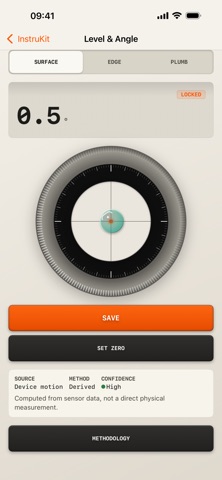

About
InstruKit turns the sensors, camera, and compute already in your iPhone into a focused, precise-feeling set of pocket instruments. It doesn't just show you one reading — it helps you save results, archive them into projects, and compare change over time. Measure, Save, Compare.
Why choose InstruKit:
- No login required — open and measure - No ads, no tracking - A dozen-plus tools for angle, sound, vibration, light, magnetic fields, location, and camera capture - The core loop: Measure → Save → Compare - Every record carries its source, method, and confidence - Data stays on your device by default
The toolset:
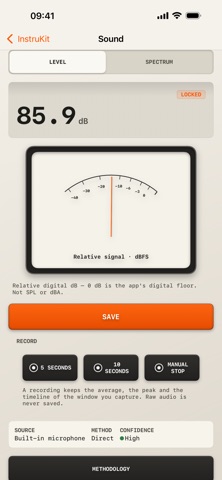
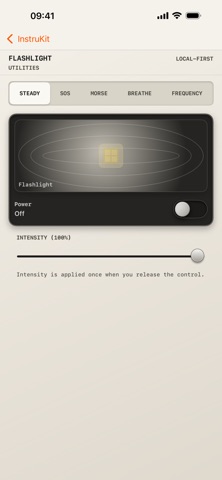
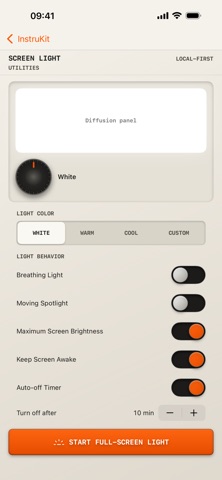
- Level: surface / edge / plumb angles with zero-reference support - Sound Level: real-time relative digital level (dB), 24-band spectrum, and recording summaries - Vibration: acceleration RMS / peak measurement and recording summaries - Light Estimate: illuminance estimated from camera exposure parameters (experimental) - Magnetic: field strength readings and relative fastener magnetic-anomaly detection - Location & Heading: single-point coordinates, altitude, and heading - Magnifier / Text Recognition / Code Scanning: viewfinder, recognition, and saving - Optical RPM (experimental): rotation speed estimated from camera frame-rate observation - Flashlight / Screen Light: multi-mode lighting utilities - Device Info / Network Status / Bluetooth Nearby: on-device and local-network facts at a glance
Honest about measurement limits: We don't invent precision. Light is an estimate derived from camera exposure. Optical RPM is experimental. Sound shows a relative digital level, not a calibrated SPL meter. Fastener detection is a magnetic-anomaly reference only — not a wire finder or distance tool. Every result is labeled with its method and confidence, so you always know what it can and cannot tell you.
Built for comparison: Save two measurements of the same kind and see the delta and percent change side by side. Archive records into projects and revisit before/after data anytime. Comparison results and measurement details can be exported as PDF diagnostic reports or CSV data for filing and collaboration.
Privacy-first by design: No account registration. Your measurement records, captures, and settings stay on your device by default. The app contains no advertising SDKs and no third-party analytics or crash reporting, and it never tracks you across apps.
Unlock InstruKit Pro: - Unlimited saving of measurement records, projects, and comparisons - Export PDF diagnostic reports and CSV data - Share measurement cards as images
Subscriptions auto-renew (monthly or yearly; yearly includes a 7-day free trial), or choose the one-time lifetime purchase. Manage or cancel anytime in iPhone "Settings → [Your Name] → Subscriptions"; benefits remain until the end of the current period.
Terms of Use (EULA): https://www.apple.com/legal/internet-services/itunes/dev/stdeula/
People rate it
Sign in to rate this app. Honest is what counts.
No ratings yet. Tried it? Be the first to rate it.