
jik
Not claimedjik is a quiet focus app that lives in your Mac menu bar
By Wontae Shin · ProductivityWhy we expect it: Clear value, careful privacy design, and a playful menu bar companion make this promising.




About
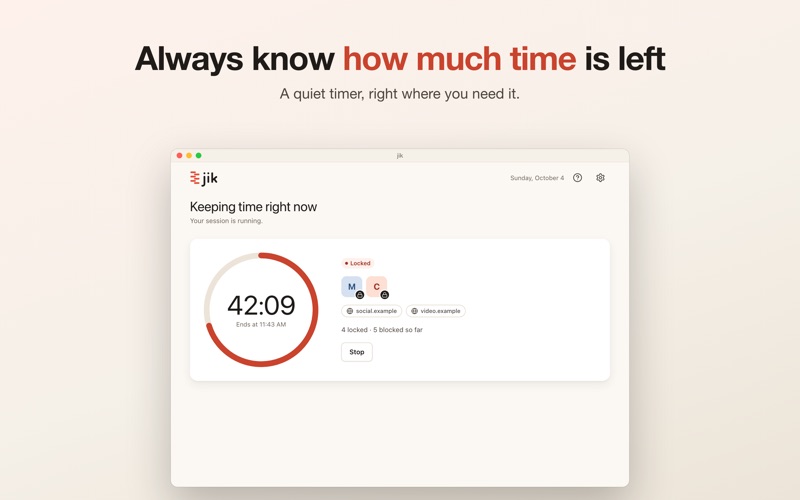
jik is a quiet focus app that lives in your Mac menu bar.
Pick the apps and websites that keep pulling you away, choose how long, and jik takes care of the rest. No account, no sign-in, and nothing leaves your Mac.
LOCK Chosen apps and websites can't be opened for a set time. Open one and it is covered right away, with a note telling you when it opens again. A big mascot walks in, sits down, and waits until you press "Go back". • Lock several apps and websites at once • Websites match by domain, subdomains included (Chrome-based browsers and Safari) • Strict mode (off by default): once started, the session can't be stopped until it ends
LIMIT Use chosen apps and websites for a set time, then jik closes them for you. When time is up, a notice says exactly what was closed, and it is honest about anything it couldn't close. • From 1 minute up to 8 hours • Remembers your last duration for each mode
MENU BAR A pixel cat or weasel sits next to the time left. Choose your companion in Settings, or none at all. The icon follows light and dark menu bars.
QUICK START • "Same as last time" starts your previous session in one click • Recent apps and websites as chips • Type minutes directly or use the presets
PRIVATE BY DESIGN No account and no server. What you block stays on your Mac.
ENGLISH AND KOREAN Follows your device language.
Note: closing website tabs needs permission to control your browser (macOS Automation). jik checks before a session that includes websites and tells you where to turn it on.
People rate it
Sign in to rate this app. Honest is what counts.
No ratings yet. Tried it? Be the first to rate it.