
KeremetPDF Scan
Not claimedKeremetPDF Scan turns your iPhone or iPad into a convenient document scanner
By Yekaterina Kim · ProductivityWhy we expect it: A well-documented scanner with on-device OCR, redaction, and clear privacy messaging gives users concrete, trustworthy value from the first read.



About
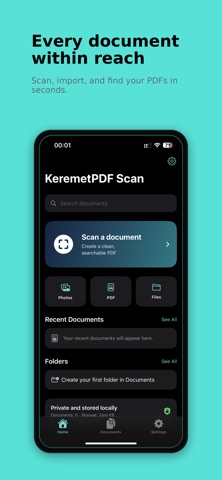
KeremetPDF Scan turns your iPhone or iPad into a convenient document scanner. Capture paper documents with the camera or import pages from Photos and PDF files. The app automatically detects document edges, corrects perspective, and helps you create clean results.
FEATURES
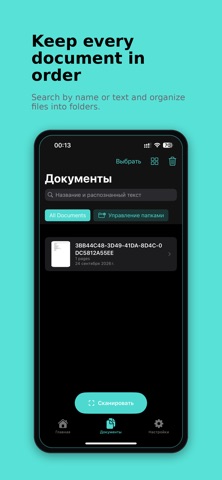
• Multi-page document scanning • Automatic and manual four-corner cropping • Color mode by default to preserve blue stamps and signatures • Rotate, add, and reorder pages • On-device English and Russian text recognition • Create searchable PDF documents • Import photos and PDF files • Merge and split documents • Export as PDF, JPEG, or PNG • Organize with folders, tags, search, and recoverable Trash • Add pen, highlighter, text, and reusable signatures • Permanently redact confidential information • Print and share documents • Protect the app with Face ID or Touch ID • Export password-protected PDF files
PRIVACY
Document processing and text recognition happen locally on your device. No account is required, and the contents of your documents are not uploaded to a server.
The interface is available in English and Russian. Dark Mode, Dynamic Type, iPhone, and iPad are supported.
Some advanced features are available with KeremetPDF Scan Pro.
Terms of Use (Apple Standard EULA): https://www.apple.com/legal/internet-services/itunes/dev/stdeula/
People rate it
Sign in to rate this app. Honest is what counts.
No ratings yet. Tried it? Be the first to rate it.