Localscribe app
Not claimedLocalscribe turns meetings, lectures and interviews into text right on your Mac
By TABLEGO CO., LTD. · ProductivityWhy we expect it: Offline, privacy-first Mac transcription with clear features and a well-documented description makes this a strong debut.



In short
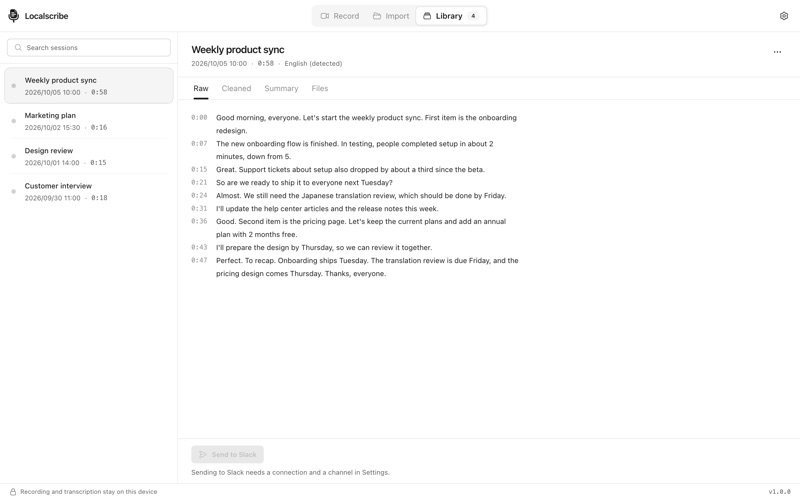
Localscribe App is a Mac app that turns meetings, lectures and interviews into timestamped text, with speech recognition running offline on the device. It records a screen, a window or computer audio, and it can also transcribe existing MP4, MOV, M4A and MP3 files. Its standout feature is that transcription needs no account and uploads nothing, while AI summaries and Slack posting are optional.
Summary by Debuts, based on the App Store listing.About
Localscribe turns meetings, lectures and interviews into text right on your Mac. Speech recognition runs offline with the Whisper large-v3-turbo model, which ships inside the app, so nothing is uploaded to be transcribed and no account is needed.
RECORD • Record a whole screen or a single window. • Record computer audio and your microphone, together or on their own. When you pick a window, only the sound of that app is recorded. • Press Stop and transcribe, and transcription starts on its own.
IMPORT • Transcribe video and audio files you already have: MP4, MOV, M4A, MP3 and more. • Combine several files into one session and put them in order.
TRANSCRIBE • 100 languages, or let Localscribe detect the spoken language. • Every line of the transcript is timestamped. • Sessions stay in your Library on this Mac. Search titles and transcripts, rename sessions, show files in Finder, or delete them.
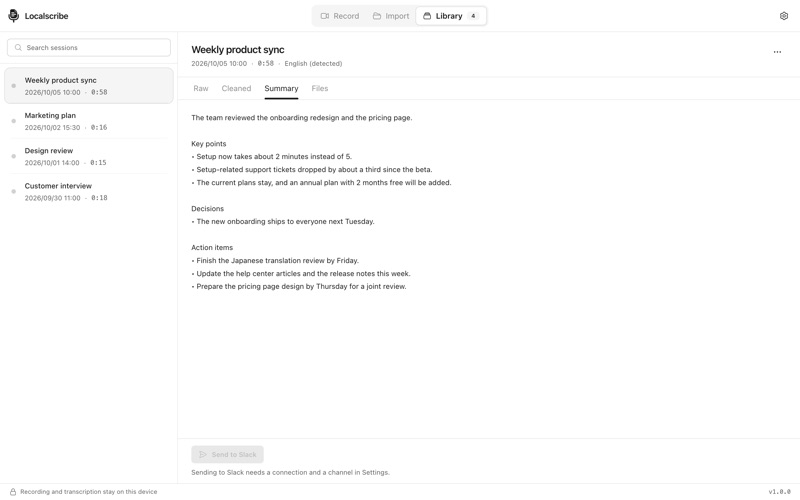
AI NOTES (OPTIONAL) Turn on AI features in Settings to get a summary and a cleaned-up transcript with filler words removed. Choose Anthropic, Google Gemini, xAI, DeepSeek, Z.ai or your own Ollama server, and use your own API key. Only the transcript text is sent, and only to the provider you chose. AI features are off until you set them up.
SLACK (OPTIONAL) Connect your Slack workspace to post a session to a channel: the summary as a message, the transcripts as canvases and, if you choose, the recording itself. Send from the Library, or automatically after transcription, and have the video moved to the Trash once it is posted.
PRIVATE BY DESIGN • Recordings, transcripts and settings stay on your Mac. • API keys and your Slack sign-in are encrypted with a key kept in your Keychain. • No analytics, no ads, no tracking.
The interface is in English and Japanese.
People rate it
Sign in to rate this app. Honest is what counts.
No ratings yet. Tried it? Be the first to rate it.
More Productivity apps
Best new Productivity apps this week ChickMark: Habit TrackerChickMark is a simple habit tracker for routines, goals, and reminders
 Dayflint: One Thing a DayToo many priorities?
 Snappy Do ItTurn photos, text and voice into tasks, plans and more.
 Fristo CAFMFristo is the app for Fristo CAFM, the facility management software
 UhWhat? Voice NotesCatch the thought before it disappears
- BeginAnywayMorning alarm for hard tasks: set one task, prove you started, build a streak