
Lunevo - Offline Subtitles
Not claimedTry it free, then pay once for unlimited exports forever
By Ming Che Yang · Photo and video

About
Try it free, then pay once for unlimited exports forever. No subscription, no account.
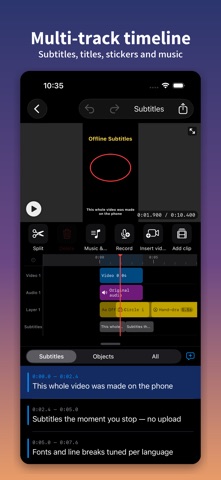
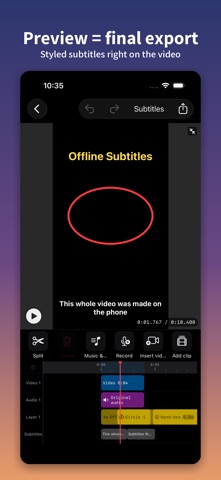
Subtitles appear while you record. Open the camera and the words show up on screen as you speak; when you stop, you go straight into the editor to fix wording, style it and export — no separate transcription round trip.
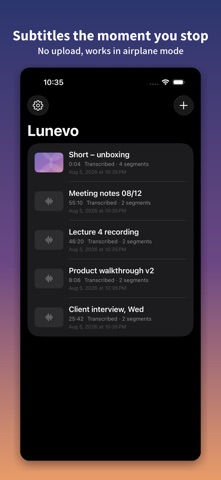
Lunevo runs the entire subtitling workflow on your phone — speech recognition, subtitle editing and video export all happen on device. Your footage and recordings never leave the phone, because there is no server here to receive them. It works in airplane mode.
■ Why offline matters
A lawyer's client interview. A journalist's source. A doctor's dictation. These recordings cannot be uploaded anywhere. Every other captioning service sends your file to someone else's data centre first. Lunevo doesn't — and can't, because that data centre doesn't exist.
■ Record inside the app — the transcript is already there when you stop
Record video or audio inside Lunevo and the subtitles appear on screen as you speak; the moment you stop, the transcript exists. And it stays editable:
・Fix wording — tap a misheard word and correct it; the timing follows ・Adjust timing — nudge a line earlier or later, merge two lines, split one in two ・Add vocabulary — put names, company names and technical terms into Custom Vocabulary (in Settings) and recognition picks them up next time ・It learns — corrections you make are remembered and applied automatically afterwards
Interviews, lectures, meetings and depositions are exactly where proper nouns matter most — and where getting them wrong matters most.
■ No waiting between hitting go and having a video
Cloud services upload the whole file and queue it — uploading a 4K clip often takes longer than the recognition itself. Lunevo runs on your phone: press go and it starts. Recognition runs at 2–5× real time (measured on an iPhone 14 Pro), so a ten-minute video has subtitles in two to five minutes.
■ Export without downgrading
People rate it
Sign in to rate this app. Honest is what counts.
No ratings yet. Tried it? Be the first to rate it.