
MD to PDF: Converter
Not claimedMarkdown to PDF is a professional document typesetting tool designed for software…
By Antonio Gonzalez de la aleja german · Utilities

About
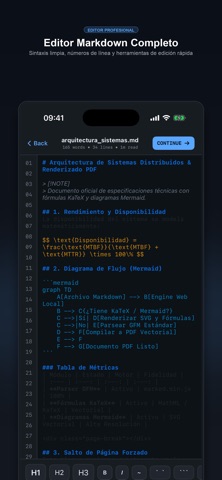
Markdown to PDF is a professional document typesetting tool designed for software developers, academic researchers, technical writers, and students who require clean, publication-ready PDF documents from Markdown source files.
Unlike basic plain-text converters, this application combines a code-centric editor with full local support for KaTeX scientific formulas and Mermaid.js vector diagrams, running completely offline on your device.
CORE FEATURES
1. Professional Markdown Editor - Monospace line numbering for easy document navigation. - Productivity toolbar with one-tap insertion for headers (H1 to H3), bold, italics, inline code, and code fences. - Guided wizard dialogs for inserting complex Markdown tables, mathematical expressions, and diagram structures.
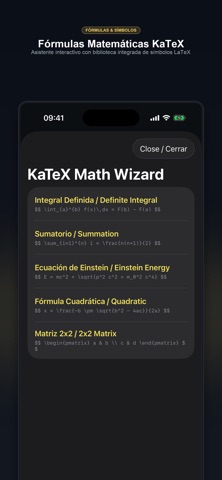
2. KaTeX Scientific Mathematics - Full support for inline ($...$) and block ($$...$$) mathematical notations. - Crisp vector typography for fractions, integrals, summations, matrices, Greek letters, and LaTeX operators. - Built-in symbol selector for rapid equation drafting without syntax memorization.
3. Mermaid.js Flowcharts and Diagrams - Native compilation of architecture diagrams, decision trees, sequence charts, and state graphs. - High-resolution SVG vector output that remains crisp at any print scale or zoom level.
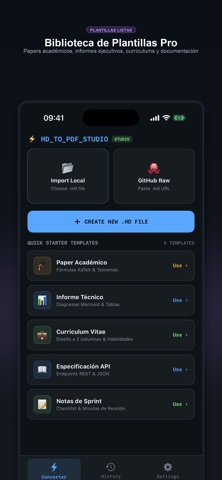
4. Built-in Editorial Templates - 8 publication layouts ready to use: * Academic LaTeX Paper * Executive Business Report * GitHub GFM Documentation * TechDocs Developer Guide * Resume & Curriculum Vitae * Book & Thesis Chapter * Swiss Minimalist * Cyber Studio Dark
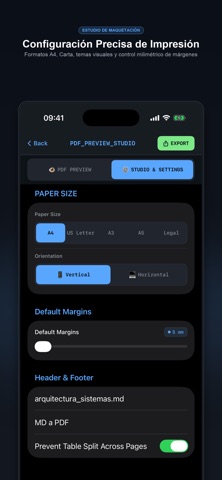
5. Precise Print & Layout Studio - Industry-standard paper formats: A4, US Letter, A3, and Legal. - Millimeter margin customization ranging from 5 mm to 40 mm. - Portrait and landscape orientations. - Configurable headers, footers, and page numbers. - Table cut prevention to preserve data integrity across page boundaries.
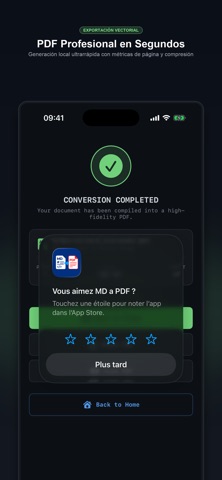
6. Live Preview & Vector PDF Output - Real-time WYSIWYG preview matching the printed document. - Vector-grade PDF generation with selectable text and functional hyperlinks. - Direct export to the iOS Files app or instant distribution via the native Share Sheet.
7. Local Privacy & Offline Architecture - 100% on-device processing: your documents never leave your hardware. - No network connection required for rendering or export. - No account creation, login, or tracking telemetry.
8. Document Hub & Management - Import existing .md files directly from the Files app. - Import public technical documentation via GitHub Raw URLs. - Conversion history archive with metadata, page counts, and quick search.
Terms of Use (EULA): https://www.apple.com/legal/internet-services/itunes/dev/stdeula/ Privacy Policy: https://www.freeprivacypolicy.com/live/6709a492-0082-4d37-b246-397c3cdc06a5
People rate it
Sign in to rate this app. Honest is what counts.
No ratings yet. Tried it? Be the first to rate it.