
memost
Not claimedmemost is a local-first note app that keeps what you write on your own device
By AlphaMatch Incorporated · ProductivityWhy we expect it: Strong privacy-first value and a thorough description make memost a promising note app to try.


About
memost is a local-first note app that keeps what you write on your own device. Nothing is uploaded to a cloud server.
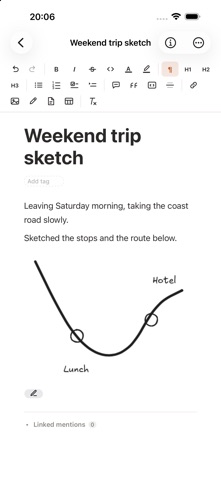
■ Block editor Paragraphs, lists, tables, code, math and drawings — write and move them block by block. Press slash (/) anywhere for styles and commands, or drag over text for the quick toolbar.
■ Notes that look the way you want Note width, cover and background images, background colour, typeface and text colour, highlights, line spacing, zoom — all yours to change.
■ Attach any file Stop keeping notes and their files apart. Images show inline, and you can mark up a PDF with a highlighter or pen right inside the note — the marks are saved into the file itself.
■ Databases Repeating records — books you have read, clients, work in progress — belong in a table. Every row IS a note, so opening one opens the same block editor you already use. Switch the same data between table, board, gallery, calendar and timeline, and save sorts and filters as views.
■ Stored locally, notes encrypted Everything lives in a vault on your device. Note contents are encrypted with a key derived from your vault password. Attached files are kept as the original files so another app can open and edit them in place.
■ Peer-to-peer sync, no server in between When your Mac, iPad and iPhone are on the same Wi-Fi, just leaving the app open syncs them directly. The connection is encrypted. A new device asks to join with the vault's five-word key phrase and an existing device approves it — you never type the vault password on the new device.
■ Import Bring in enex (Evernote), html, epub, md (Markdown), ppt/pptx and mmp (memost export). Choose a folder and the whole folder comes with it.
■ Reading mode Tap the glasses icon and editing locks so you can just read. Pinch to make the text bigger or smaller.
memost is also available for macOS and Windows. https://www.memost.app
People rate it
Sign in to rate this app. Honest is what counts.
No ratings yet. Tried it? Be the first to rate it.