
Moongchi - Zip & Unzip
Not claimedOpen archives before you extract
By Hyein Kang · Utilities


About
Open archives before you extract.
Moongchi is an archive app for Apple Silicon Macs. Browse supported ZIP, RAR, 7Z, and other archives like folders. Preview a file, then extract only what you need. Keep up to 12 archives open in tabs and find items with search, sorting, and image thumbnails.
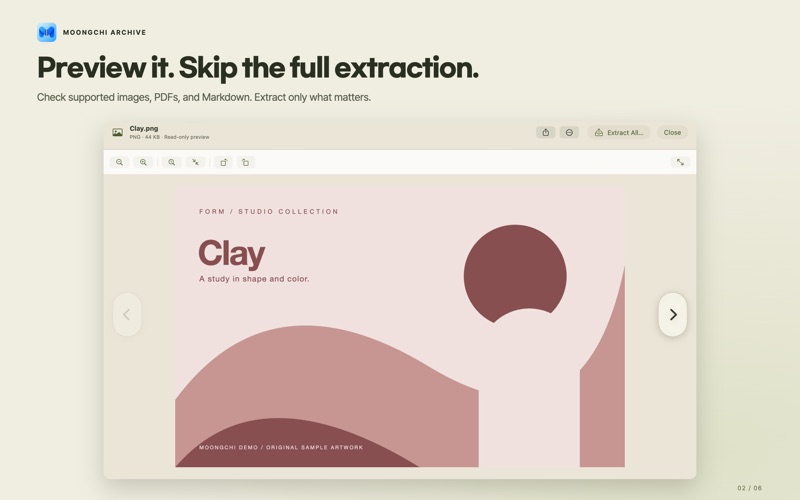
• Preview supported images, PDFs, Markdown, and other files without extracting everything. • Extract selected entries or an entire archive. • Create a ZIP from files and folders, with optional password protection. • Compress and extract straight from Finder quick actions. • Check archive integrity and review basic safety findings.
Go further: edit entries inside supported ZIPs, compare files side by side, or choose exactly what goes into a new SafeSend ZIP copy. Ask on-device AI about the archive and get explanations processed on your Mac. Make the workspace yours with Olive Archive, Light, Dark, or system appearance.
Some advanced features, including ZIP editing, Compare, SafeSend, and on-device AI, require a Pro in-app purchase. Start the optional 14-day trial yourself; it never charges automatically. Core browsing, preview, compression, and extraction stay free.
Format and compression-method support varies. Creating 7Z or RAR archives is not supported, and recovery cannot be guaranteed. AI and safety checks are advisory. Archive contents and AI questions are not sent to external generative AI services. Optional AI models download only when requested.
macOS 15 or later · Apple Silicon · Korean/English/Japanese Support: ailo@ailoworks.com Privacy: https://moongchi.ailoworks.com/zip/privacy/
People rate it
Sign in to rate this app. Honest is what counts.
No ratings yet. Tried it? Be the first to rate it.