
Morse Trainer – Learn Smart
Not claimedMorse Trainer teaches you Morse code straight by ear — skipping the detour of reading…
By Roland Schaal · EducationWhy we expect it: A focused, well-explained Koch-method trainer with clear progress tracking and a strong sound-first approach for Morse learners.

In short
Morse Trainer, Learn Smart teaches Morse code by ear, using the Koch method to introduce characters one at a time at full speed. It offers receive and send modes, including callsign practice and iambic keying with an external keyboard. It works offline with no account or ads, and it is available in German and English.
Summary by Debuts, based on the App Store listing.About
Morse Trainer teaches you Morse code straight by ear — skipping the detour of reading dots and dashes off a screen entirely. The built-in Koch method has you recognizing every character by sound from day one, with especially fast learning progress.
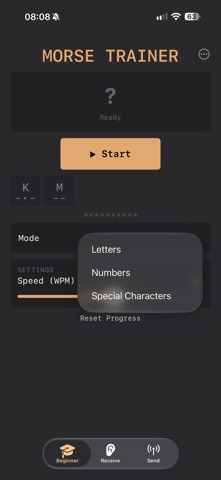
BEGINNER – LEARN FAST WITH THE KOCH METHOD
You start with just two characters, sent at full target speed right from the first round — no slow ramp-up, no visual reading step in between. Once you recognize them reliably, the next one unlocks automatically. Letters, numbers, and special characters are trained separately, each with its own progress. A simple points display always shows exactly how close you are to the next character. No guesswork, no plateaus — just clear, measurable, fast progress. New and misjudged characters come up more often so they stick sooner. Once every character is unlocked, each level raises your speed — up to 30 WPM.
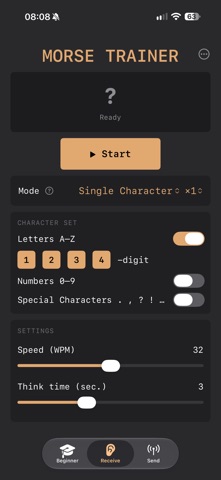
RECEIVE
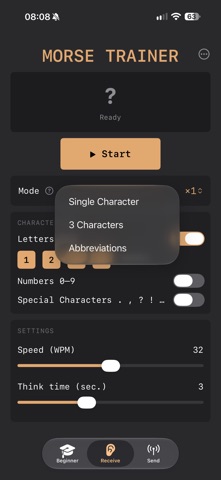
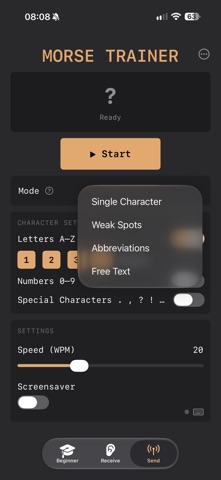
You hear real Morse tones, get a short thinking pause to guess, then see and hear the answer. Five modes: single characters, 3-character sets for one minute, abbreviations and Q-groups, Preselection (you pick exactly the characters you want to practice) and Callsigns. Callsigns are randomly generated, realistic callsigns from around the world — with real country prefixes, common countries appearing more often, in 4, 5 or 6 characters. Repeats, speed, thinking pause and letter pause (in seconds) are all yours to set.
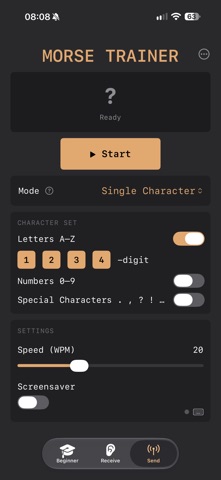
SEND
All modes are available for sending too, including Preselection and Callsigns. With an external keyboard (USB or Bluetooth), your iPhone becomes a Morse keyer — two keys as a paddle, including squeeze support for clean iambic keying. The app calls out a character or abbreviation, you send it back, and get instant feedback. "Weak Spots" mode specifically repeats the characters you get wrong most often. In Practice mode, you send freely and the app decodes live. If you'd rather use a real Morse paddle instead of a keyboard, you'll find a build guide for a matching adapter on GitHub: https://github.com/gogogommez/Morse-Adapter
AND MORE
• Fully usable in German or English • Start/stop right from the Lock Screen and Control Center • All settings save automatically — separately for each mode • No account, no ads, no internet connection required
People rate it
Sign in to rate this app. Honest is what counts.
No ratings yet. Tried it? Be the first to rate it.
More Education apps
Best new Education apps this week FluencyToolShadow a native Japanese sentence, hear your own voice back, and get scored.
 YoMoo: Read & Shadow JapaneseYoMoo turns real Japanese writing into graded reading practice: news articles, Wikipedia…
 KeyswingLearn music notes, rhythm and piano through playful practice in a magical forest.
 Uncle Math Homeschool - 6 to 8No Math Fear, Uncle Math Is Here
 Malachi SpeaksMalachi Speaks gives a voice to people who don't use speech
 SelvarisWatch evolution unfold in real time – on an entire planet