
Nestra: Private Photo Vault
Not claimedSEARCH WHAT IS INSIDE Nestra reads your photos on this iPhone so you can find them again…
By Snir Tam · Photo and video


About
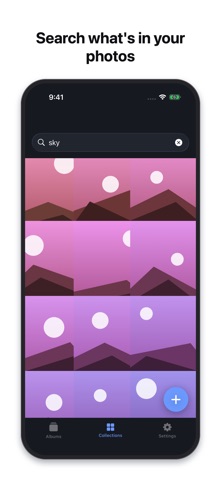
SEARCH WHAT IS INSIDE Nestra reads your photos on this iPhone so you can find them again — by what is in them, or by words printed on them. A receipt, a beach, a screenshot. Nothing is uploaded to do it, and there is no account and no server.
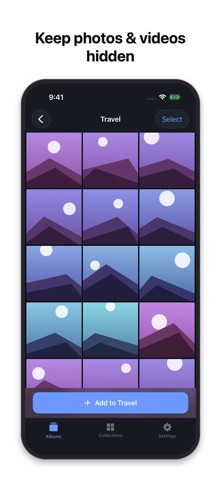
Your phone gets handed around: showing a picture, passing it to a kid, sharing a screen. Nestra gives your private photos and videos a place of their own, locked behind Face ID.
Everything stays on your iPhone. There is no account, no server, and no cloud. Nothing you add is ever uploaded.
Nestra is a paid app. A purchase is required to use the vault.
**Locking** - Face ID or Touch ID opens the vault, with a 4-digit passcode you choose as a fallback. - Five wrong passcode attempts lock the app for 30 seconds. - Auto-lock when you leave the app: immediately, after 30 seconds, 1 minute, or 5 minutes. - The app switcher preview is blurred, so your vault does not show up in the multitasking snapshot.
**Importing and organizing** - Bring photos and videos in from your photo library, into albums you create. - After an import, the app offers to delete the original copies from your library in one step. - It then reminds you that iOS keeps deleted items in Photos › Albums › Recently Deleted for 30 days, and that you should empty that album — the step most people miss. - Full-screen viewer with pinch to zoom, and playback for videos. - Export anything back to Photos whenever you want. Your files are never held hostage.
**Privacy, stated plainly** - No account, no login, no sync. - No third-party SDKs, no analytics, no tracking. The App Store privacy label reads "Data Not Collected". - Files are stored using iOS Data Protection: hardware-backed encryption tied to your device passcode. - Your vault is included in your iPhone backups, so replacing your phone does not mean losing it. If you back up to a computer, turn on Encrypt local backup.
**Pricing** An annual subscription with a 3-day free trial, or a single payment for lifetime access. The exact price for your country is shown in the App Store before you buy.
Built and maintained by an independent developer.
Privacy Policy: https://snirtam.github.io/photo-vault-legal/privacy.html Terms of Use (EULA): https://www.apple.com/legal/internet-services/itunes/dev/stdeula/
People rate it
Sign in to rate this app. Honest is what counts.
No ratings yet. Tried it? Be the first to rate it.