
Notaula: Gradebook and Planner
Not claimedYour gradebook, built so you never lose a grade
By Suraj Kumar Giri · EducationWhy we expect it: The clear, detailed description and strong data-safety features, plus country-specific grading, make its value easy to grasp.


In short
Notaula: Gradebook and Planner is an education app for teachers that keeps every past value of each grade, so a change can be undone with one tap. Deleted students, columns and classes wait 30 days in Recently Deleted, and daily and pre-change snapshots allow restoring a single class. It covers grading systems for several countries, attendance, rubrics, timetables, lesson planning and seating plans, syncs across iPad, iPhone and Mac through iCloud, and is a one-time purchase.
Summary by Debuts, based on the App Store listing.About
Your gradebook, built so you never lose a grade.
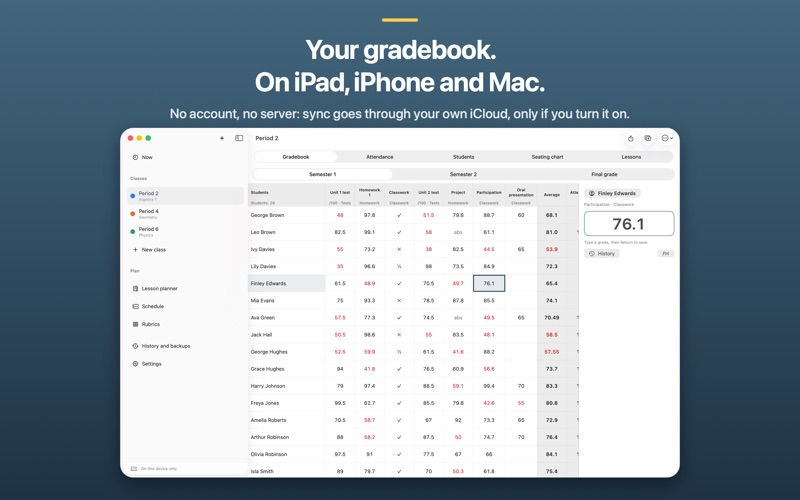
Notaula keeps every value a cell has ever held. Change a grade and the old one is still there, with its time and device — one tap brings it back. Delete a student, a column or a whole class and it waits in Recently Deleted for 30 days, photos included. A snapshot of your gradebook is taken every day and before every big change, and you can restore a single class from it. Every week a spreadsheet of all your classes is saved in the Files app, readable in Excel or Numbers even without the app.
LEARN IT IN TEN MINUTES • Set up a class on one screen: type names, paste them from a spreadsheet, or import a CSV or Excel file — with a preview before anything is added. • Enter grades with a number pad that stays open and moves to the next student. With a keyboard, type and press Return, Tab or the arrow keys. • Tap any average to see exactly how it was calculated.
YOUR COUNTRY'S GRADING, OUT OF THE BOX • 0–10, 1–6 with 2+ and 2−, 0–15 points, /20, percentages with letter grades, 1.0–7.0 and more — each with its pass mark, grade names, terms and grade key. • Weighted categories, a weight per column, and an explicit rounding rule shown on the grade itself. • Everything stays editable, including your school's grade key.
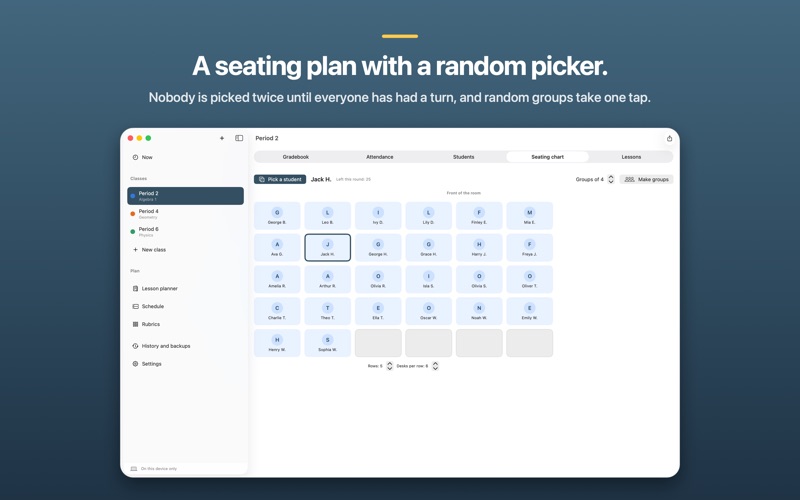
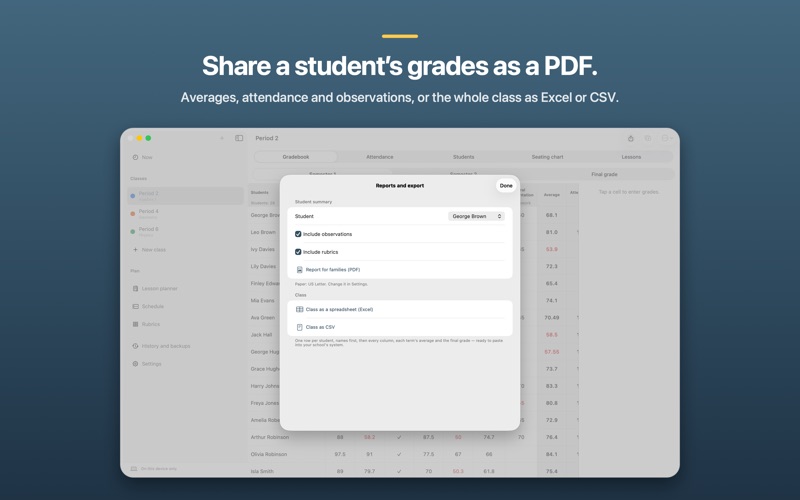
EVERYTHING A TEACHER'S DAY NEEDS • Attendance in seconds: everyone is present until you tap. • Rubrics: build one, add it as a column, tap a level per criterion, see the grade and how it was worked out. • Timetable with A/B weeks and holidays — "Now" opens the class you are teaching. • Lesson planner by week or day; when a lesson is lost, push every following plan back in one step, and undo it. • Seating plan with a random student picker and random groups. • Student profiles with observations and an optional photo. • Reports for families as PDF, and class exports for your school's system.
THE SAME ON IPAD, IPHONE AND MAC One purchase for all three. Turn on iCloud sync and your grades travel through your own private iCloud storage — or keep everything on this device. Nothing reaches us: no account, no server, no tracking.
PAY ONCE No subscription, no in-app purchases.
People rate it
Sign in to rate this app. Honest is what counts.
No ratings yet. Tried it? Be the first to rate it.
More Education apps
Best new Education apps this week FluencyToolShadow a native Japanese sentence, hear your own voice back, and get scored.
 YoMoo: Read & Shadow JapaneseYoMoo turns real Japanese writing into graded reading practice: news articles, Wikipedia…
 KeyswingLearn music notes, rhythm and piano through playful practice in a magical forest.
 Uncle Math Homeschool - 6 to 8No Math Fear, Uncle Math Is Here
 Malachi SpeaksMalachi Speaks gives a voice to people who don't use speech
 SelvarisWatch evolution unfold in real time – on an entire planet