
Ocro: Scan, Hide, Share
Not claimedOcro is a private document scanner that finds your personal details and hides them…
By Anil Shah · ProductivityWhy we expect it: Clear value, a thorough feature list and a strong on-device privacy focus make this a well-judged debut for document sharers.



About
Ocro is a private document scanner that finds your personal details and hides them before you share. Scan a page, let Ocro black out the names, numbers and faces you'd rather keep to yourself, and send a clean PDF in seconds. Everything happens on your phone, so your documents stay yours.
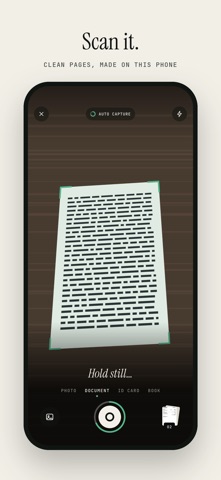
SCAN CLEAN, FLAT PAGES
• Point your camera at any page: Ocro finds the edges, captures it automatically and straightens it into a flat, sharp scan • Shadows are removed and the paper turns white, so text reads clearly • Scan many pages in a row, or a book's two facing pages at once • ID card mode puts the front and back on one page at their real size, ready to print or send • Glare on a glossy page? Take a second photo and Ocro restores the text underneath • Import photos and PDFs you already have
HIDE WHAT'S PRIVATE, AUTOMATICALLY
Ocro reads every page and finds the details people most often forget to cover: • Names, addresses, phone numbers and email addresses • Bank account numbers, IBANs and card numbers • Personal ID numbers, dates of birth and passport lines • Faces, signatures, stamps, QR codes, barcodes and number plates
Hide everything with one tap, or choose item by item. Draw over anything else you want gone. Pick how it looks: solid, blur, pixelate or blend, shaped to fit each face or signature.
Hidden really means hidden. The text under a redaction is removed from the file itself, not just covered by a box, so it can't be copied, searched or recovered.
Screenshots too. Share a screenshot to Ocro, or tap Hide a screenshot, and Ocro finds the private details for you, so you can send a chat, a banking app or a booking confirmation without the parts you'd rather keep to yourself. Several screenshots can be joined into one long page.
Add words to Always hide, such as your own name or account number, and Ocro hides them in every document from then on.
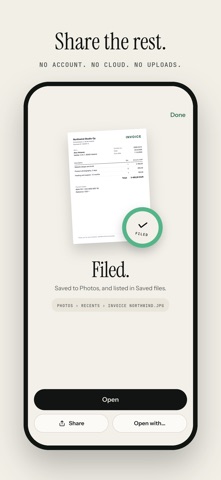
SHARE THE REST
• Export as PDF, JPG or plain text • Set a size limit, like 2 MB for an email or a form upload, and Ocro makes the smallest file that stays readable • Protect a PDF with a password • Share straight to any app or save to your phone • Export several documents at once
PDF TOOLS IN ONE PLACE
People rate it
Sign in to rate this app. Honest is what counts.
No ratings yet. Tried it? Be the first to rate it.