
OraSentinel
Not claimedOraSentinel is a native macOS client for querying and administering Oracle databases…
By Igor Souza · UtilitiesWhy we expect it: Thorough description, clear safety features and a focused niche make this a promising native tool for Oracle administrators.



About
OraSentinel is a native macOS client for querying and administering Oracle databases, built for people who already use SQL*Plus, SQLcl or a generic IDE and want a tool that feels like part of the system rather than a separate Java or Electron window.
Before you install: OraSentinel does not include a database. It connects to an Oracle database you are already authorized to access (your own, your company's, or a test environment) with the user name and password you already have. What each screen lets you do depends on that user's privileges in the database.
WHAT IT DOES
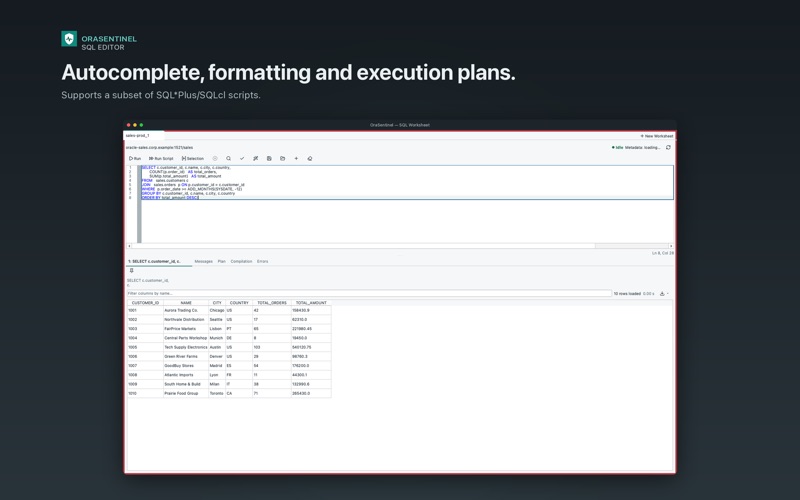
• SQL Editor: tabs, relevance-ranked autocomplete, SQL formatting, execution plans (Explain Plan) and support for a subset of SQL*Plus/SQLcl-style scripts (commands such as @ and SET, PL/SQL blocks terminated by "/").
• Sessions: auto-refreshing list, severity colors, direct access to each session's SQL and execution plan, and session kill with confirmation, including on AWS RDS.
• Objects: search by name, DDL, grants, dependencies and a dedicated Invalid Objects screen.
• Monitoring: tablespaces, Scheduler jobs and wait events, designed for day-to-day administration of Oracle 19c, including on AWS RDS (the current test focus; other versions may work but have not been validated as thoroughly).
• Multiple connections: switch environments (production, staging, development) without closing the app. Connect over TCP, over TCPS with the system certificates, or over TCPS with an Oracle Wallet imported and managed by the app, always in python-oracledb thin mode, with no Oracle Instant Client to install.
• Safety confirmations: explicit warnings before DROP, DDL in production, UPDATE/DELETE without WHERE, and killing sessions.
• Local history: searchable queries, connections and errors on your Mac, with a per-window Private Mode for work you don't want recorded.
• Credentials in the Keychain: each connection's password (and each Oracle Wallet's password) is stored in the macOS Keychain, never in a configuration file.
• Six languages: Portuguese (Brazil), English, Spanish, French, German and Italian, or Automatic (follows the macOS language), switching instantly without restarting the app.
People rate it
Sign in to rate this app. Honest is what counts.
No ratings yet. Tried it? Be the first to rate it.