
PDF Compressor
Not claimedPDF Compressor helps you reduce PDF file size for sharing, uploading, and keeping…
By Jeny Goentoro · Productivity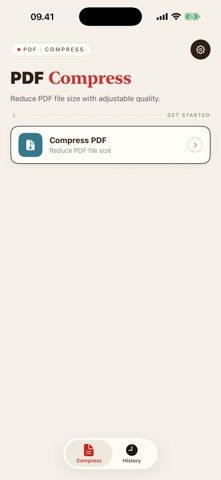




About
PDF Compressor helps you reduce PDF file size for sharing, uploading, and keeping smaller copies of your documents. Select a PDF, choose a compression level, and check the result before saving or sharing it.
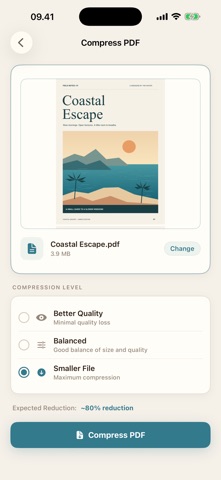
Choose your compression level Pick Better Quality, Balanced, or Smaller File to prioritize visual quality or a smaller output. The amount of reduction depends on the original document.
Check the result Preview your compressed PDF and see its file size, page count, and percentage reduction. Your original PDF stays unchanged, so you can review the compressed copy before using it.
Save, share, and find it again Save the result to Files or send it through the share sheet. Saved results remain available in History for previewing, sharing, renaming, or deleting later.
Process your PDFs locally Compression runs locally without uploading your documents to a processing server. No app account is required.
Choose the access that fits your needs Free access includes advertising and two successful compressions per day. Cancelled or failed attempts and results without a meaningful size reduction do not use your allowance. Previewing, saving, and sharing an existing result remain available without using another compression. Optional Pro access removes advertising and the daily compression limit. The same compression quality options are available with free and Pro access.
Before you compress Compression converts each page into an image within the output PDF. Visual quality may decrease, and text in the compressed copy will no longer be selectable or searchable. Some PDFs may not become smaller, and a specific output size is not guaranteed.
PDF Compressor lets you use the app at no cost. However, premium access may be available as an optional in-app upgrade.
Privacy Policy: https://alderpathstudio.github.io/PDF-Compressor/privacy-policy.html Terms of Use: https://alderpathstudio.github.io/PDF-Compressor/term-of-use.html
People rate it
Sign in to rate this app. Honest is what counts.
No ratings yet. Tried it? Be the first to rate it.