
PDF Mind: Editor & Scanner
Não reivindicadaSign it, mark it up, and change the words that are already on the page
Por D-bug Station Limited · Produtividade





Em resumo
PDF Mind: Editor & Scanner is a PDF editor for signing, marking up, and rewriting text already printed on a page. Twenty-four of its thirty-five tools run on the device, and the app states before use which tools need a server. Its standout feature is editing existing text in place.
Resumo do Debuts, com base na ficha da App Store.Sobre
Sign it, mark it up, and change the words that are already on the page.
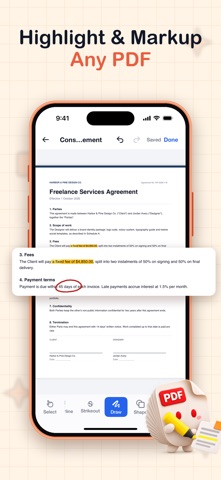
PDF Mind is a document editor first and a toolbox second. Draw or type a signature and place it exactly where it belongs. Highlight, underline, strike through, draw freehand, add shapes, drop in a text box. Then do the thing most PDF apps on this store cannot: select a line of text that was already printed in the document and rewrite it, in place, the way you would in a word processor.
MOST OF IT NEVER LEAVES YOUR PHONE
Twenty-four of the thirty-five tools run entirely on your device. Merging, splitting, compressing, signing, watermarking, password-locking, scanning, converting from Excel, PowerPoint, Pages, Numbers, Keynote, HTML and e-mail — all of it happens locally, in the same engines iOS already uses. Your contract, your medical record and your tax return are not uploaded so that a page can be rotated.
Where a tool genuinely needs a server, the app says so before you start, on the tool itself, rather than after you have handed over the file.
ASK A QUESTION ABOUT THE DOCUMENT
Ask AI reads the PDF and answers in plain language: what does this clause commit me to, what is the total on this invoice, summarize these forty pages. It cites where in the document the answer came from, so you can check it.
THE EDITOR
- Signatures: draw, type, or reuse a saved one; resize and place anywhere - Text: select existing text by dragging and replace it, or add new text boxes - Markup: highlight, underline, strikeout, freehand ink, shapes, eraser - Every change is one undo step, including a twelve-frame drag
THE TOOLS
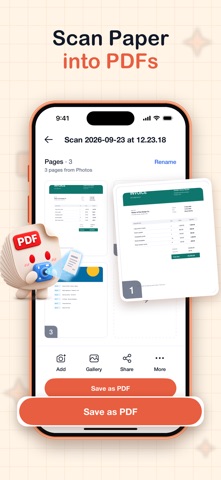
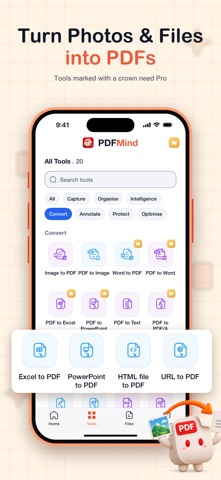
Organize: merge, split, remove pages, reorder and rotate pages Secure: password-protect, remove a password, watermark, flatten, ZIP Convert to PDF: Word, Excel, PowerPoint, Pages, Numbers, Keynote, HTML, a web page, an e-mail, photos Convert from PDF: Word, Excel, PowerPoint, images, plain text, Markdown, EPUB, RTF, HTML, CSV, grayscale, PDF/A, PDF/X Scan: use the camera to capture pages, with OCR to make them searchable Compress: make a file small enough to e-mail, and see the size before you commit
WORKS WITH THE REST OF THE PHONE
A avaliação das pessoas
Inicia sessão para avaliares esta aplicação. O que conta é seres sincero.
Ainda sem avaliações. Já a experimentaste? Sê o primeiro a avaliar.
Mais apps de Produtividade
As melhores apps novas de Produtividade desta semana ChickMark: Habit TrackerChickMark is a simple habit tracker for routines, goals, and reminders
 Dayflint: One Thing a DayToo many priorities?
 Snappy Do ItTurn photos, text and voice into tasks, plans and more.
 Fristo CAFMFristo is the app for Fristo CAFM, the facility management software
 UhWhat? Voice NotesCatch the thought before it disappears
- BeginAnywayMorning alarm for hard tasks: set one task, prove you started, build a streak