
Photo & File Backup
Not claimedPhoto & File Backup keeps independent copies of the photos, videos and documents you…
By Roger Sedgwick Pemberly · Utilities

About
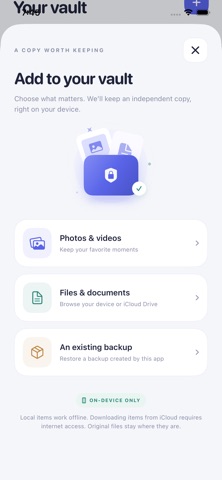
Photo & File Backup keeps independent copies of the photos, videos and documents you choose to import. Your saved copies stay in the app on your iPhone, and the originals remain unchanged.
SAVE AND ORGANIZE Import photos and videos with Apple's photo picker, or choose documents through Files. Search by name or note, filter by file type, and mark favorites.
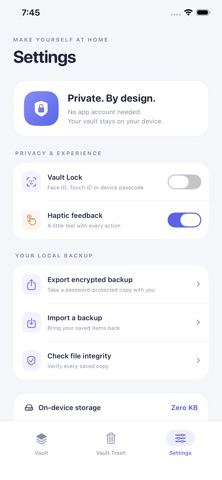
BACK UP AND RESTORE Export a password-protected, encrypted backup and save it outside the app. Import an existing backup with its password to restore your saved copies. There is no password reset for encrypted backups.
KEEP CONTROL Use Face ID, Touch ID or your device passcode to lock your vault. Check saved files for changes with file integrity verification. Restore items from Vault Trash for up to 30 days, or delete them permanently.
PREVIEW AND EXPORT Preview saved items, save photos and videos back to Photos, or export files.
Local files work offline. Downloading items from iCloud requires internet access. No app account is required.
This app only restores copies previously saved in its vault or exported backups. It cannot access Apple's Recently Deleted storage or recover permanently deleted device data. Deleting the app removes its local vault. Live Photos are imported as a still image or video, not as a paired Live Photo.
People rate it
Sign in to rate this app. Honest is what counts.
No ratings yet. Tried it? Be the first to rate it.