
Pigment – Painting Studio
Not claimedPigment turns your drawings into paintings
By tommy colombet · Photo and video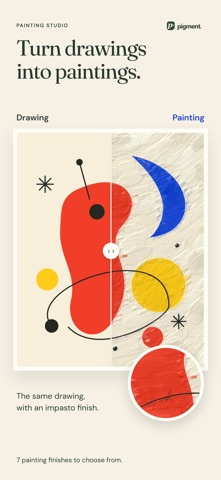



About
Pigment turns your drawings into paintings.
Draw freely, mix colours and explore brush textures. Fill your shapes with zen patterns, then add colour. Choose from seven rendering styles to turn your drawing into a painting, right on your device.
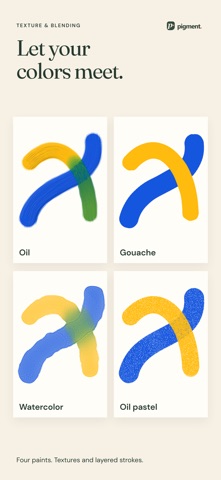
PAINT, TEXTURE AND COLOUR MIXING Watercolour, oil, acrylic or gouache: explore different marks, layer your strokes and mix colours on the canvas. Adjust your brush size and try different tips.
ZEN PATTERNS TO COLOUR Draw shapes, then tap an area to fill it with zen patterns. Build your drawing in black and white before colouring it with watercolour or your other tools.
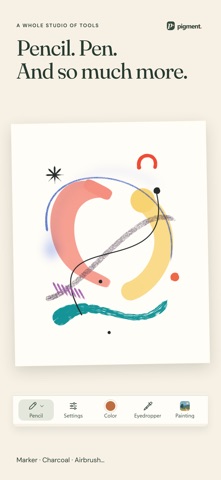
PENCIL, INK AND SO MUCH MORE Pencil, charcoal, pastel, marker and pen: combine tools in a single composition. Work with shapes, fills, gradients and layers. Adjust hue, saturation and brightness to find the colours you want.
ONE DRAWING, SEVEN RENDERING STYLES Impasto, Blended, Palette knife, Gouache, Watercolour, Ink wash and Dry pastel: Pigment paints your composition stroke by stroke. Compare the results and fine-tune their settings, from paint thickness to paper grain.
START WITHOUT KNOWING HOW TO DRAW Draw on a free canvas, compose on a colour grid or start from a photo. Follow the tutorial for your first painting and discover a new drawing idea every week, with a palette and an example.
BEFORE / AFTER AND EXHIBITIONS Share how your drawing became a painting, as an image or a video. Hang your work on an exhibition wall: frames, settings, lighting.
YOUR WORK STAYS WITH YOU No account, no ads. Your drawings and paintings stay on your device. Export your work to Photos to keep or share it.
FREE, WITH THE FULL STUDIO AS AN OPTION Free: the Blended rendering style, photo import, access to every tool with at least one tip or variant, 12 creations, one exhibition wall with 2 paintings, and exports up to 1,024 px. Full Studio, a one-time purchase with no subscription: all seven rendering styles, every tip and variant, no limit on the number of creations or exhibitions, up to 12 paintings per wall, and exports up to 4,096 px.
People rate it
Sign in to rate this app. Honest is what counts.
No ratings yet. Tried it? Be the first to rate it.