
PixelGen: Image Upscaler
Not claimedHi Apple review team, PixelGen enhances photos on-device
By Aina Artificial intelligence LLP · Photo and videoWhy we expect it: Promising on-device upscaling with no accounts, ads or purchases, and photos never leave the device.


About
Hi Apple review team,
PixelGen enhances photos on-device. No account or sign-in is required. All features are available without purchases, subscriptions or ads.
The main differentiator of PixelGen is it's ability to run entirely on device.
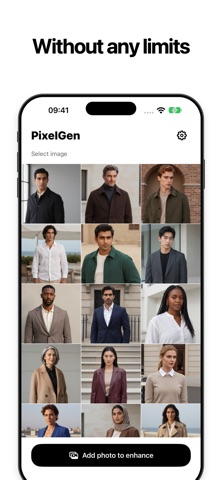
On launch, please wait for model preparation to finish. The progress bar shows estimated time remaining; the first launch may take longer. Models are bundled with the app. If a device compatibility warning appears, tap “I understand, but I want to use it anyway” to continue. Review steps: 1. Tap “Try now” on the Welcome screen. 2. Tap “Add photo to enhance” and select a photo. The gallery is empty on a fresh installation. 3. Optionally crop the photo, then tap “Enhance”. Keep the app in the foreground during processing. 4. Tap the result to compare the original and enhanced image. 5. Tap “Save” and allow Photos access. A new copy is saved; the original remains unchanged. High-resolution images require confirmation before further upscaling. For a quicker test, use a small, locally stored photo. Enhancement works offline. Photos are never uploaded by PixelGen. The Welcome comparison is illustrative; actual enhancement uses the selected photo. Settings contains support and legal links. PostHog receives usage and performance analytics, never photos or photo identifiers. Session replay and advertising tracking are disabled.
People rate it
Sign in to rate this app. Honest is what counts.
No ratings yet. Tried it? Be the first to rate it.