
Point - Waypoint GPS
Not claimedYour waypoints
By Giuseppe La Guardia · Travel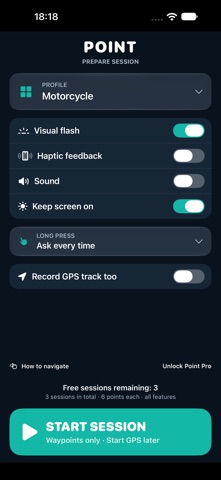




About
Your waypoints. Your screen. One tap to save them.
Point makes recording waypoints quick and easy. Customize point names, icons and colors, and build the interface you use to capture them: choose which buttons to show and prepare a dedicated screen for each activity.
BUILD YOUR OWN CAPTURE SCREEN
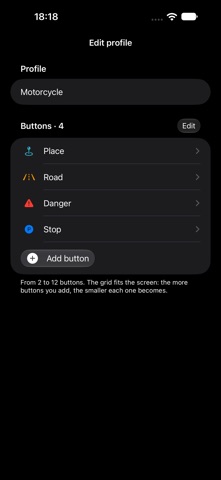
Create profiles with 2 to 12 buttons. Four large controls for a trip, or a richer grid for a hike or a field survey. The interface adapts to the number of buttons you choose.
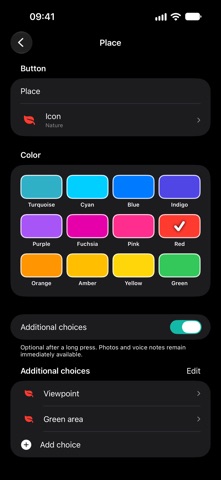
Keep what matters within reach: viewpoints, trail junctions, water, stops, access points, places to check and anything you want to remember. Give each button a name, a color and an icon from a catalog of thousands of symbols, with search and categories.
TAP TO SAVE, LONG PRESS TO ADD DETAIL
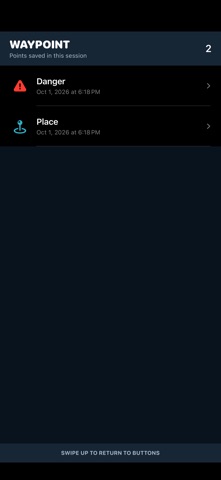
During a session, just tap the dedicated button to record a waypoint. Large buttons, distinct colors and recognizable icons make the right control easy to find. A visual flash, vibration and sound confirm the capture.
Each button can have 2 to 12 additional choices, each with its own name, icon and color. For example, a “Stop” button could offer “Parking”, “Picnic area” and “Campsite”. Long press to add photos and voice notes straight away, or specify the point by selecting one of the options.
A PROFILE FOR EVERY ACTIVITY
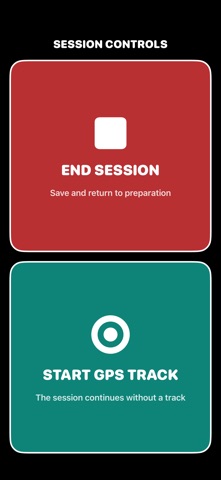
Prepare different interfaces for hiking, cycling, motorcycle rides, camper trips, exploring and fieldwork. Choose your profile before starting and find the controls you need. Each profile also remembers whether to start the GPS track together with the session.
USE ALONGSIDE YOUR FAVORITE APPS
Point can accompany the apps you already use for maps, routes and outdoor activities. Open it whenever you want to mark a place. Collect waypoints on their own or record a GPS track as well.
People rate it
Sign in to rate this app. Honest is what counts.
No ratings yet. Tried it? Be the first to rate it.