
Printo App
Not claimedPrinto App - Print, scan, and manage your documents directly from your mobile device
By Yasir Ali · ProductivityWhy we expect it: Clear everyday value, with practical tools for printing, scanning, and PDF creation gathered in one convenient place.




About
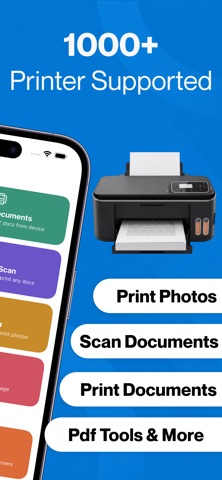
Printo App - Print, scan, and manage your documents directly from your mobile device. Connect to a compatible printer using supported wireless connectivity and handle everyday printing and scanning tasks from one convenient place. Whether you need to print documents, school assignments, forms, receipts, photos, or other files, this app provides practical tools to prepare, print, scan, save, and share your documents with ease.
PRINT DOCUMENTS AND PHOTOS: Print supported documents, PDFs, images, and photos directly from your phone. Select a file, preview it, choose the available settings, and send it to your connected printer.
Printing features include: - Print documents, PDFs, images, and photos - Preview files before printing - Choose the number of copies - Select portrait or landscape orientation - Adjust paper size and layout when supported - Print multiple pages when supported
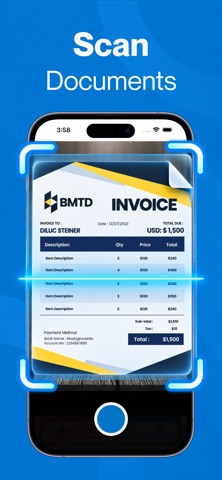
SCAN DOCUMENTS Use your phone camera to scan documents, receipts, notes, forms, invoices, and other paperwork. Capture a digital copy and adjust it before saving or sharing.
Scanning features include: - Camera-based document scanning - Automatic document edge detection - Crop and straighten scanned pages - Scan multiple pages - Reorder or remove pages - Save scans as PDF or image files
CREATE PDF DOCUMENTS: Create PDF files from scanned pages and supported images. Combine multiple pages into one document, organize their order, and save the finished file on your device. PDFs can be used for applications, reports, invoices, receipts, assignments, forms, and other important paperwork.
PRINT PREVIEW AND SETTINGS: Review your document before printing. Check the pages, orientation, layout, and available print settings to help ensure your content is ready before starting a print job.
WIRELESS PRINTING: Connect your mobile device to a compatible printer through supported wireless connectivity. Once connected, select your document or photo and access the available printing options directly from the app.
FILE MANAGEMENT: Access supported files from your device and prepare them for printing or sharing. Keep scanned documents organized, review recent files, save important documents, and share finished scans whenever needed.
FOR HOME, SCHOOL, AND WORK: Use the app for everyday printing and scanning needs. Print assignments, reports, presentations, forms, invoices, receipts, travel documents, photos, and other supported files directly from your phone.
KEY FEATURES - Wireless mobile printing - Document, PDF, and photo printing - Camera document scanning - Multi-page scanning - PDF creation - Automatic document detection - Multiple copies - Portrait and landscape printing - Paper and layout options when supported - File management - Save and share scanned files
SUBSCRIPTION To access all features, the user needs to purchase a subscription. Subscription Plans: - Weekly Plan: $3.99 - Monthly Plan: $6.99 - Yearly Plan: $19.99
People rate it
Sign in to rate this app. Honest is what counts.
No ratings yet. Tried it? Be the first to rate it.