
QR Me – Share & Scan
Not claimedQR Me turns anything you share with it into a QR code
By Riccardo Ronconi · UtilitiesWhy we expect it: Clear value, a private on-device design and a useful free tier make this a promising utility for anyone who shares QR codes often.



About
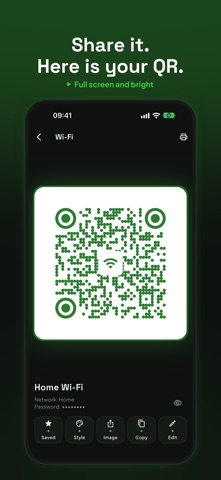
QR Me turns anything you share with it into a QR code. From Safari, Notes or a chat, tap Share, pick QR Me and the QR is already there: full screen, at full brightness, ready to be scanned.
You can also type or paste some text or a link and show it as a QR straight away.
IT READS QR CODES TOO, FOR FREE • With the camera, or from a picture: a photo or a screenshot with a QR in it • A scanned link never opens by itself: you see the website first, in large type • Copy, open, call or write with one tap • Every QR you read can be shown again and saved
FAVOURITES AND HISTORY • Your home Wi-Fi or your contact always at hand, each with its name • A history of your latest QR codes, which you can switch off or clear at any time • Under a Wi-Fi QR the password stays hidden
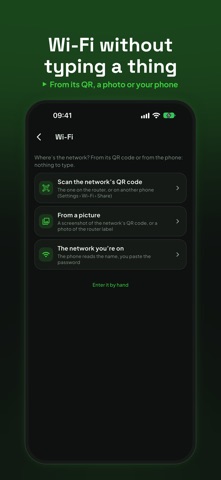
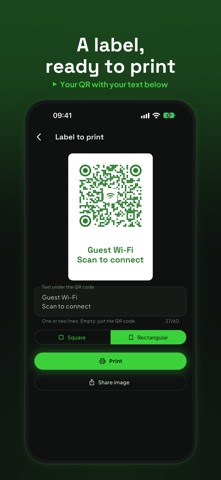
QR ME PRO One purchase, no subscription: • Wi-Fi without typing a thing: from the network's QR code, a screenshot or the network you are on. Guests join just by scanning • Your contact from the address book, saved once and always ready, and a pre-filled email • Style: your colours, round dots and corners, and a photo, an icon or an emoji in the middle. The app reads the QR back and tells you if it still scans • Restyle a QR you have scanned • Share the QR as a picture, or as a label to print with your own text below • Unlimited favourites and history • Full backup, logos included
The free version includes sharing, the full-screen QR, text and links, reading from the camera and from pictures, the last 5 QR codes in history, one favourite and restoring from a backup.
No account, no ads, no data collected: reading happens inside the app and everything stays on your phone.
People rate it
Sign in to rate this app. Honest is what counts.
No ratings yet. Tried it? Be the first to rate it.