
Quick3D CAD Viewer
Not claimedQuick3D Viewer 3D CAD Viewing Made Simple
By Ryo Tazaki · Utilities

In short
Quick3D CAD Viewer is a free iPhone and iPad app for opening and inspecting 3D models, including STEP, IGES, STL, OBJ, and several other formats. It suits engineers and designers who need to review CAD files away from their desk, such as on a factory floor or in client meetings. Models can be rotated, zoomed, and panned with touch gestures, and full-screen mode hides banner ads.
Summary by Debuts, based on the App Store listing.About
Quick3D Viewer
3D CAD Viewing Made Simple.
Quick3D Viewer is a free 3D model viewer for iPhone and iPad.
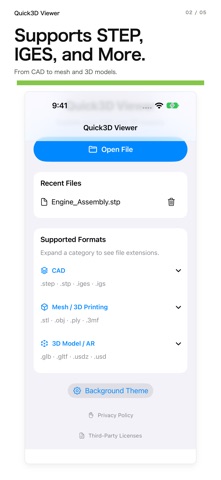
Open and explore a wide range of 3D files, including STEP, IGES, STL, OBJ, and more, right from your mobile device.
Whether you're on the factory floor, meeting with clients, or away from your desk, Quick3D Viewer makes it easy to inspect 3D models wherever you go.
Key Features
■ Supports Multiple 3D File Formats
View STEP / STP, IGES / IGS, STL, OBJ, PLY, 3MF, GLB, and USDZ files.
■ Intuitive 3D Navigation
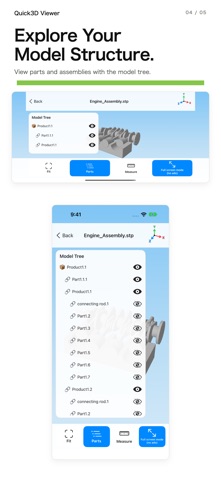
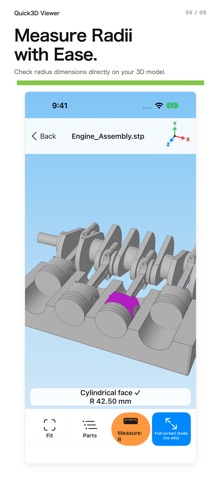
Rotate, zoom, and pan models using simple touch gestures. Explore your designs from different angles.
■ Full-Screen Viewing
Hide banner ads in full-screen mode and enjoy more space to inspect your 3D models.
People rate it
Sign in to rate this app. Honest is what counts.
No ratings yet. Tried it? Be the first to rate it.
More Utilities apps
Best new Utilities apps this week Drainly: Speaker CleanerMuffled speaker after a splash, rain, or a sweaty workout?
 Photo & PDF Resize: KBFile too large to upload?
 Arvectum Proxy LauncherArvectum Proxy Launcher is a network utility that routes your iPhone through a proxy you…
 Vodoalarm: vodostaji BiHVodoalarm javlja kad tvoja rijeka naglo raste, pa ne moraš stalno gledati vodostaje
 FairAuth: AuthenticatorFairAuth creates the codes for two-step verification on iPhone and iPad
 Polarglow: Aurora AlertsKnow tonight's chance of seeing the aurora where you are, and never miss a storm night