
Rindraw
Not claimedMost apps flatten what you draw into pixels the moment you lift the Pencil
By Sawir Studio LLC · Photo and videoWhy we expect it: Its editable strokes, one-time purchase, and privacy-first design give clear value to people who enjoy trying new drawing apps.



About
Most apps flatten what you draw into pixels the moment you lift the Pencil. Rindraw doesn't. Every stroke stays a stroke: recolor it next week, bend it, scale it up, and it stays sharp, because Rindraw draws it again instead of stretching it.
Your history stays too. Quit, come back days later, and undo still goes back.
And it's yours in plainer ways: you pay once for iPad, iPhone and Mac, each drawing is a file you can see in Files, there's no account, and Rindraw collects nothing.
PAY ONCE One purchase covers iPad, iPhone and Mac. There's no subscription and no account, Rindraw collects no data, and an update never changes how your tools work unless you say so.
YOUR FILES Each drawing is a file, kept on your device, in iCloud Drive so every device has the same library, or in a folder you choose in Files. Your undo history is saved in the file, so you can undo after quitting. Deleted drawings stay in Recently Deleted for 30 days.
EDITABLE STROKES Rindraw saves every stroke as you drew it, not as pixels. Recolor or restyle a stroke later, and move, rotate, scale, distort or warp your art without it going soft, because Rindraw redraws the strokes instead of stretching pixels.
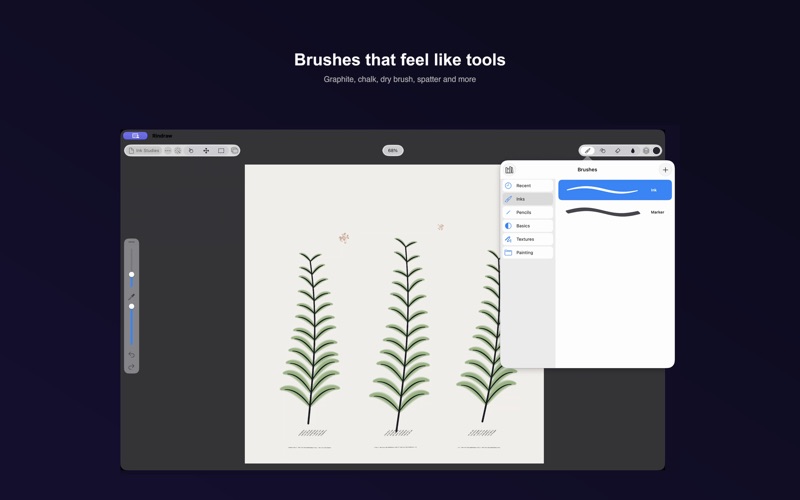
BRUSHES Ink, pencil, graphite, marker, chalk, dry brush, spatter, airbrush and more, with paper grain, textured tips, and Apple Pencil pressure, tilt and barrel roll. Wet paint, pigment mixing and a mixer brush blend color on the canvas, and a blending brush can pick up color from the layers below. Edit any brush in Brush Studio, save your own, and import brushes from Procreate and Photoshop.
STEADY LINES A lazy string, stroke stabilization and motion filtering smooth your lines as you draw. A line never moves once it's on the canvas.
LAYERS Groups, blend modes, clipping, masks, adjustment layers and live filters, all editable at any time. Rindraw opens Procreate and Photoshop files with their layers, and exports PSD with the layers kept.
ANIMATION AND 3D Animation Assist has frames, onion skins and playback, and exports animated GIF, animated PNG and video. You can also paint on 3D models in OBJ and USDZ and light them in Lighting Studio.
PAGES Lay out frames on one canvas for comics, storyboards, zines or portfolios, and export a PDF with a page per frame.
AND MORE • Timelapse replay of every drawing, exportable as video • A History panel with snapshots, to go back to any earlier step • A Quick Menu with six actions you choose • Your own keyboard shortcuts, and game controller buttons • Stacks you can lock with Face ID • Export as PNG, JPEG, HEIC, JPEG XL or 16-bit TIFF, with Display P3 color in HEIC and TIFF, and CMYK for print
People rate it
Sign in to rate this app. Honest is what counts.
No ratings yet. Tried it? Be the first to rate it.