
SBM - SystemStatusMeter
Not claimedUnderstand what your Mac is doing
By Masanari Matsumoto · UtilitiesWhy we expect it: Clear value, careful privacy messaging, and a free menu bar tier make this easy to try.






About
Understand what your Mac is doing.
SBM (SanaryBuild Meter) is a lightweight system monitor designed to make your Mac’s activity easier to see and understand.
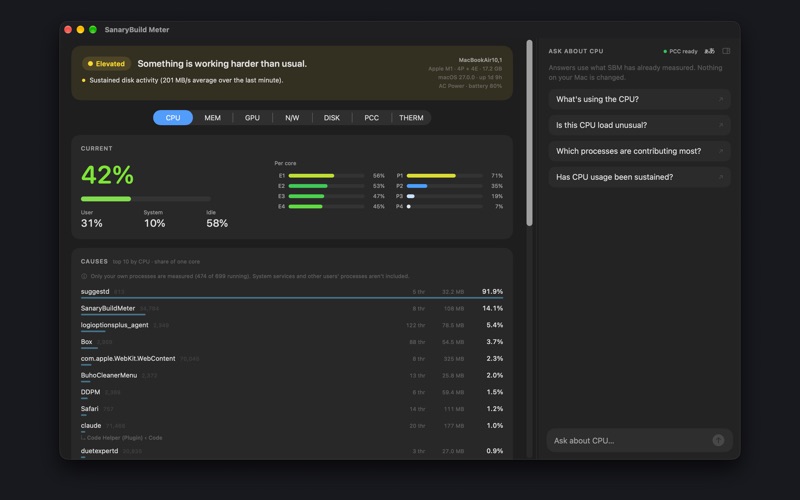
Glance from the menu bar Monitor CPU, memory, GPU, network, disk, Private Cloud Compute availability, and thermal state without interrupting your work.
Open Glass for a closer look Click a meter to see its current state, related information, and contributing processes where available.
Go deeper with Detail Explore history, advanced information, and System Health to understand how your Mac has been behaving over time.
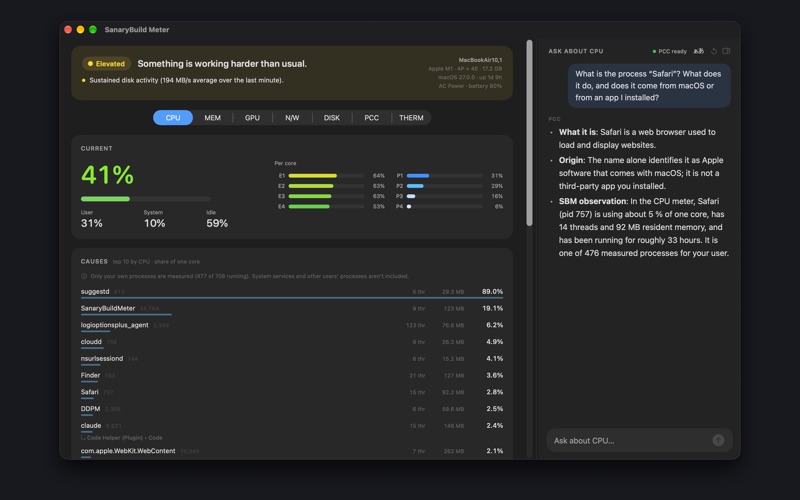
Ask when something doesn’t make sense Use “Ask about this” to get an explanation based on information observed by SBM. SBM measures and evaluates system information; AI helps explain it. You decide what to do next.
Activity colors that mean something SBM uses color to represent activity rather than metric type. As activity increases, the meter progresses through blue, green, yellow, and red. Red indicates high activity—it does not necessarily mean something is wrong.
Designed to observe, not control SBM is read-only. It does not terminate processes, change system settings, control fans, or attempt to optimize your Mac.
Try before you unlock The menu bar remains available without purchase. You can also preview Glass and Detail, including History, System Health, Advanced information, and Ask. SBM Unlock is a one-time purchase that removes the preview limits.
See it. Ask it. Understand it.
PRIVACY - Your data is stored on this Mac and is not sent to Sanary servers. - AI is processed with Apple's Foundation Models / Private Cloud Compute.
REQUIREMENTS - macOS 14 or later. AI features run on an Apple Intelligence-compatible Mac with macOS 27 or later. Recording, totals and charts work without AI. - The app's interface is mainly in Japanese.
People rate it
Sign in to rate this app. Honest is what counts.
No ratings yet. Tried it? Be the first to rate it.
More Utilities apps
Best new Utilities apps this week Drainly: Speaker CleanerMuffled speaker after a splash, rain, or a sweaty workout?
 Photo & PDF Resize: KBFile too large to upload?
 Arvectum Proxy LauncherArvectum Proxy Launcher is a network utility that routes your iPhone through a proxy you…
 BillVoice : Lecteur de billetsPointez votre iPhone vers un billet, touchez l’écran n’importe où et entendez ce que…
 Look Twice: Scam & AI CheckLook twice before you click
 Vodoalarm: vodostaji BiHVodoalarm javlja kad tvoja rijeka naglo raste, pa ne moraš stalno gledati vodostaje