
ScrollLess
Not claimedLess scrolling
By Abdulkarim Rahmani · ProductivityWhy we expect it: The description is clear and honest about permissions, limits and privacy, making the value easy to grasp.


In short
ScrollLess is a productivity app for iPhone that sets one shared daily time budget across chosen apps, categories and websites, then blocks them through Screen Time once the budget runs out. It is aimed at personal use, not parental controls. One notable detail is that it has no user account, no advertising and no in-app purchases, and keeps settings and processing on the device.
Summary by Debuts, based on the App Store listing.About
Less scrolling. More time for you.
ScrollLess helps you set one shared daily time budget for selected apps, categories and websites on your own iPhone.
HOW TO START 1. Allow Screen Time access. 2. Choose your apps, categories or websites. 3. Set your daily budget and activate your plan.
When the shared budget is used up, Screen Time restrictions block your selection. A one-minute budget lets you try the setup.
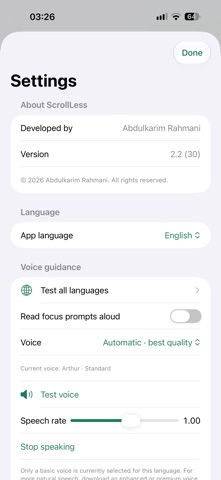
FEATURES • Daily budgets of 15, 30, 45, 60, 90 or 120 minutes • Scheduled focus periods and quick focus sessions • An interactive pause before plan changes • Local focus exercises and a seven-day Screen Time report • Language and speech options
No user account, advertising or in-app purchases. Settings and processing stay on your device.
Screen Time permission is required for restrictions and can be revoked in iOS Settings. Reports depend on available activity data. This version is designed for personal use and does not offer parental controls or child-device management.
People rate it
Sign in to rate this app. Honest is what counts.
No ratings yet. Tried it? Be the first to rate it.
More Productivity apps
Best new Productivity apps this week ChickMark: Habit TrackerChickMark is a simple habit tracker for routines, goals, and reminders
 Dayflint: One Thing a DayToo many priorities?
 Snappy Do ItSix connected modes. One traceable journey.
 Fristo CAFMFristo is the app for Fristo CAFM, the facility management software
 UhWhat? Voice NotesCatch the thought before it disappears
- BeginAnywayMorning alarm for hard tasks: set one task, prove you started, build a streak