
Shoo: Swipe Photo Cleaner
Not claimedThousands of photos and running out of space?
By KOBA KORP LLC · Photo and videoWhy we expect it: A clear, careful photo cleaner with strong safety nets and on-device privacy, aimed at a large audience.


About
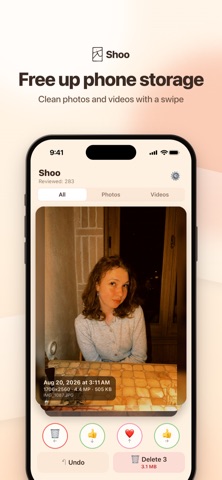
Thousands of photos and running out of space? Shoo helps you clear out your camera roll one swipe at a time. Photos and videos come up one by one: keep, favorite, add to an album or queue for deletion. Nothing is deleted until you review the queue and confirm.
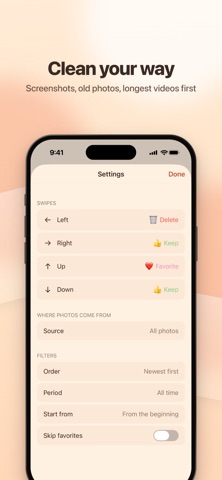
SWIPE YOUR WAY • Four swipe directions, and you choose what each one does: keep, delete, favorite or add to an album • Send photos to any of your albums, or create a new one in settings • Changed your mind? Undo swipes one step at a time
REVIEW BEFORE YOU DELETE • Everything you swipe to delete waits in a queue • See the queue as a grid, open any item full screen, then restore it or delete just that one • Delete the whole queue at once; iOS asks you to confirm • Deleted items go to Recently Deleted in Photos, where they stay for up to 30 days and can be recovered • Favorites are protected: Shoo warns you when you swipe a favorite to delete (unless you are browsing the Favorites album itself), or you can skip favorites altogether
START WHERE IT MATTERS • Your whole library, any album, or system albums like Favorites, Screenshots, Selfies and Live Photos • Newest first, oldest first, or longest videos first • A specific month, everything older than 30 days, or only what is new since your last session • Start from any month you like • Photos, Videos or All
SEE THE DETAILS • Capture date, resolution, file size and type: Screenshot, Live, Portrait, Panorama, Slo-mo and more • Pinch or double-tap to zoom • Play videos and scrub through them right on the card
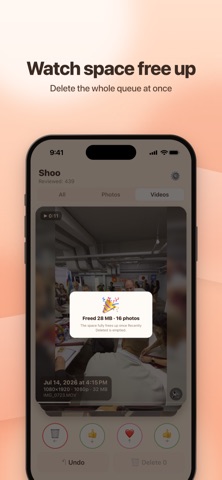
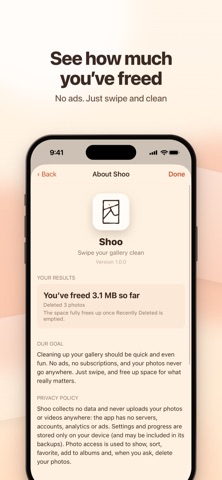
ENJOY THE PROGRESS • See how much space you have freed, with a small celebration after each cleanup • Light, dark or system theme • English and Ukrainian
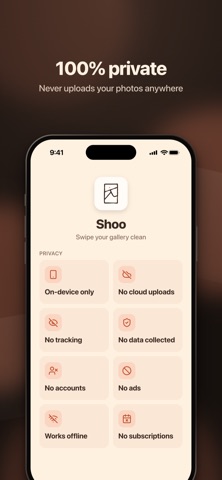
YOUR PHOTOS STAY YOURS • Shoo works entirely on your device, even offline • No servers, no accounts, no analytics, no tracking, no ads • Shoo never uploads your photos or videos anywhere • Works with limited photo access too: Shoo sees only the photos you select, and you can add more at any time. Albums need full access
Good to know: the space is freed once items leave Recently Deleted, when you empty it or automatically after 30 days. If iCloud Photos is on, deleted items are removed from your other devices as well.
Privacy policy: https://shoo.pro/privacy/ Questions or ideas: hello@shoo.pro
People rate it
Sign in to rate this app. Honest is what counts.
No ratings yet. Tried it? Be the first to rate it.