
Sieve: sift what you see
Not claimedSieve is for developers who build with coding agents
By Grgur Damiani · ProductivityWhy we expect it: A focused idea for coding-agent developers, with a clear workflow from saved content to actionable briefs and careful handling of creator claims.



About
Sieve is for developers who build with coding agents. You see a technique in a video or a post, you save it, and you never get round to trying it. Sieve reads what you save, tells you what is in it, and turns the techniques into briefs your agent can try.
HOW IT WORKS
Share a video, a screenshot, a link or some text to Sieve from any app, and get on with your day. Sieve reads pictures and listens to video files on your iPhone, with Apple's own text recognition and speech transcription, then writes a summary with your own OpenRouter key. If you allow notifications, one tells you when it is ready.
Every item gets a plain title of Sieve's own, a short summary, why it matters to you, the key points and what to take away. A video also gets a verdict, watch, skim or skip, with the moment worth jumping to. Where there is a next step, the item offers one:
- Try it. A technique comes with a brief for your coding agent. The brief asks the agent to check with you before running any command, and to offer to keep it as a skill if it works. - Run it on my project. A checklist, such as a list of security checks, becomes a brief that asks your agent to check your project against each item and change nothing until you say so. - Find it. When a creator names a tool or a repo but doesn't link it, Sieve opens a search for it in your browser.
If a post gives instructions to AI agents, Sieve marks it and keeps those instructions out of the brief. Claims from a video or a post are labelled as the creator's, to check before you repeat them.
WHAT IT READS
- Pictures and screenshots, up to 10 at a time, read on your iPhone. - Video files up to 5 minutes, listened to on your iPhone. - YouTube links. - A link to one Instagram post or reel, one X post or one TikTok video, read from the post's public page. - Web pages, and any text you send it.
IT BRINGS THINGS BACK
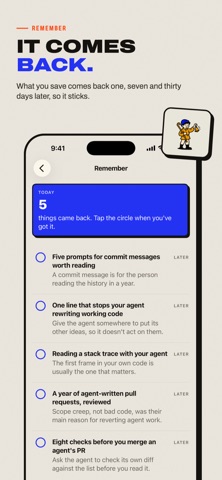
What you save comes back 1, 7 and 30 days after Sieve reads it, at most five a day, with one notification at a time you choose. Got it stops one, Later moves it to tomorrow. Home Screen and Lock Screen widgets show what came back today.
SORTING
Swipe right to keep something to try, left to let it go. A note of one to three words on two or more items makes a pile, and a whole pile can be copied as one brief. Something saved twice is kept with the first. Search covers everything, several items can be copied as one handover, and Export writes your whole library as one Markdown file.
People rate it
Sign in to rate this app. Honest is what counts.
No ratings yet. Tried it? Be the first to rate it.