
Slates Scratchpad
Not claimedSlates is a quiet Mac scratchpad for the bits of text you do not want to lose to a…
By MIGUEL DOVALE · Productivity



In short
Slates Scratchpad is a Mac app with eight color-coded slates in one window, for holding things like door codes, tracking numbers, packing lists, and snippets you paste repeatedly. It suits people who want quick, local text notes without an account, and it can share content from other apps and work with Shortcuts. It stands out for storing data locally by default, with optional iCloud sync that stays off until enabled.
Summary by Debuts, based on the App Store listing.About
Slates is a quiet Mac scratchpad for the bits of text you do not want to lose to a browser tab, a meeting chat, or the bottom of a notes app.
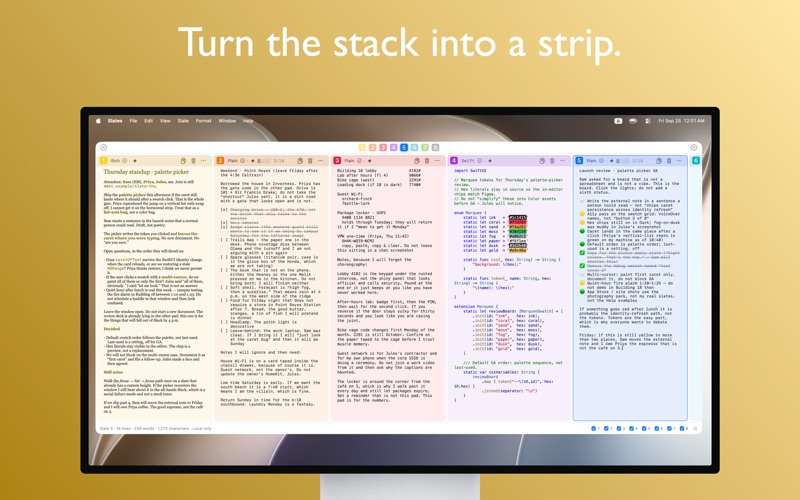
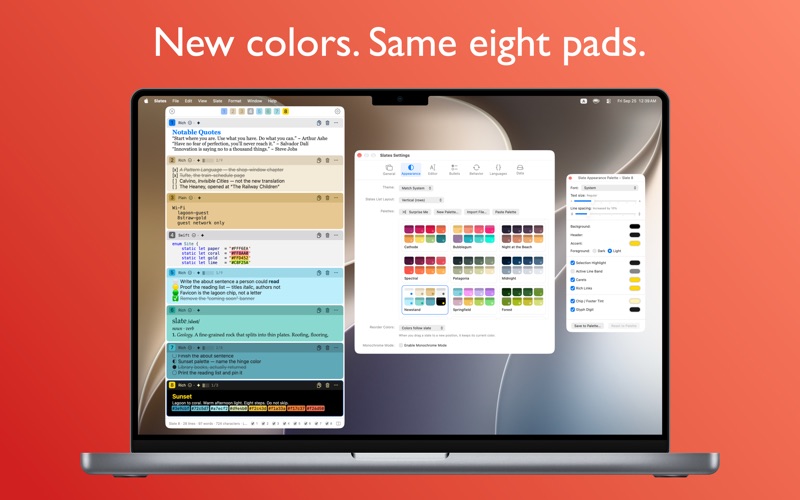
You get eight color-coded slates in one window. Keep a draft in one color, a door code in another, a list in a third. Drag a card by its header and the color travels with it, so your mental map stays put.
WHAT IT’S FOR
Door codes, tracking numbers, meeting links, packing lists, a paragraph you are still chewing on, a snippet you will paste three times and then clear.
WHAT YOU CAN DO
• Write in Rich, Plain, or Code — headings and emphasis that actually render, syntax highlighting, and smart bullets that click through a cycle • Copy any slate with one click, or Copy & Clear when a one-time code has done its job • Drag slates by their headers to reorder; hide the ones you are not using • Focus one slate, or see the whole set as a vertical list or a horizontal strip • Open from the Dock, the menu bar, or both • From another app, Share → Slates appends, prepends, or replaces a slate • Get, set, or show a slate from Shortcuts • Wrap long lines, fit a slate to its content, or collapse the window to its toolbar • Keep automatic local backups, or save a backup file when you want one
PRIVACY
Stored locally on your Mac by default. Optional iCloud sync stays off until you turn it on in Settings. Slates does not include analytics, tracking, or advertising. There is no account to create.
Requires macOS 14 Sonoma or later.
People rate it
Sign in to rate this app. Honest is what counts.
No ratings yet. Tried it? Be the first to rate it.
More Productivity apps
Best new Productivity apps this week ChickMark: Habit TrackerChickMark is a simple habit tracker for routines, goals, and reminders
 Dayflint: One Thing a DayToo many priorities?
 Snappy Do ItTurn photos, text and voice into tasks, plans and more.
 Fristo CAFMFristo is the app for Fristo CAFM, the facility management software
 UhWhat? Voice NotesCatch the thought before it disappears
- BeginAnywayMorning alarm for hard tasks: set one task, prove you started, build a streak