
SnapApp: Snipping Tool
Not claimedSnapApp is a fast, native snipping tool for your Mac
By Yuma Heymans · ProductivityWhy we expect it: Clear, privacy-focused native snipping tool with thorough annotation features and a well-explained value proposition.


About
SnapApp is a fast, native snipping tool for your Mac. Press Shift-Command-2, drag over the part of the screen you need, and your snip opens in a clean editor, ready to mark up. Copy it in one click, or keep the full-resolution PNG it saves for you, then paste it into a message, a document, a ticket or an email.
CAPTURE • One shortcut from any app, or the menu bar icon • The screen holds still while you drag exactly the region you need • Works across multiple displays, Retina and standard • Open an existing image to mark it up too
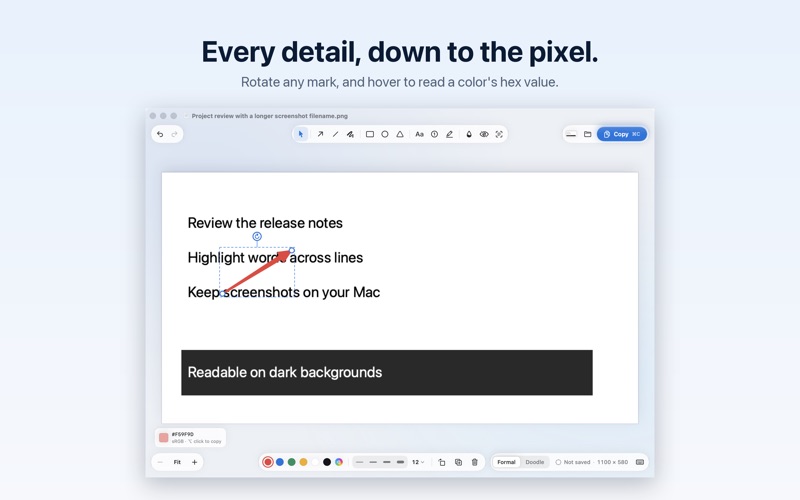
ANNOTATE • Arrows, lines, rectangles, ellipses and triangles • Text, a freehand pen and a highlighter • Numbered steps for walkthroughs and how-tos • Blur, pixelate or black out passwords, names and emails • Rotate any mark, and write outside the screenshot: the canvas grows to fit • Hover to read any pixel's color as a hex value, and Option-click to copy it
TEXT • Recognize the text in a snip and copy it • Hide recognized words in one step
SHARE • Copy with one click and paste anywhere with Command-V • Every snip saves automatically as a PNG in Pictures, in the SnapApp folder, or in a folder you choose • Drag the finished image straight into another app
PRIVATE BY DESIGN • No account, no sign-in, no tracking • Screenshots and text recognition stay on your Mac • Works offline
Built natively for macOS 14 Sonoma and later, on Apple silicon and Intel.
People rate it
Sign in to rate this app. Honest is what counts.
No ratings yet. Tried it? Be the first to rate it.