
StealthShare
Not claimedStealthShare is the essential macOS menu bar privacy utility designed for professionals…
By AZZI OLFATI · UtilitiesWhy we expect it: A clearly described privacy tool that solves a real problem for anyone sharing their screen on calls.


About
StealthShare is the essential macOS menu bar privacy utility designed for professionals, developers, educators, and anyone who shares their screen on video calls.
Whether presenting to clients on Zoom, collaborating in Microsoft Teams, streaming over Google Meet, or recording a video tutorial, StealthShare ensures that your personal desktop, confidential notes, private chats, and sensitive credentials never leak into your presentation.
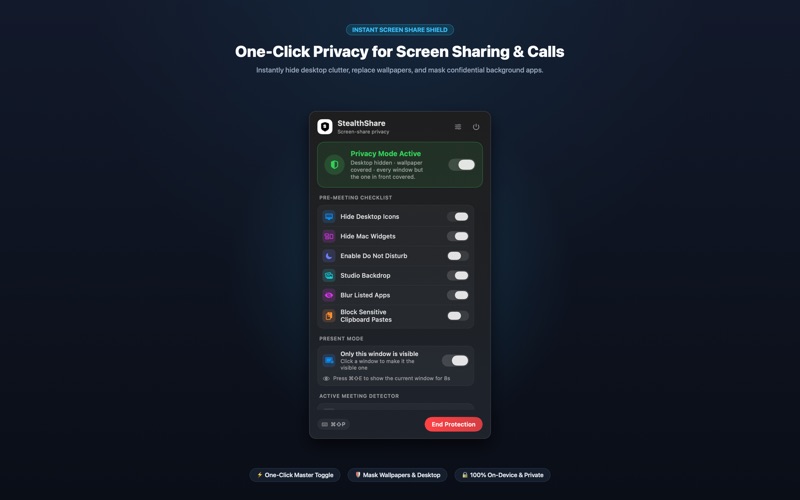
With a single global hotkey or menu bar click, StealthShare creates an instant, professional studio presentation environment on your Mac.
KEY FEATURES:
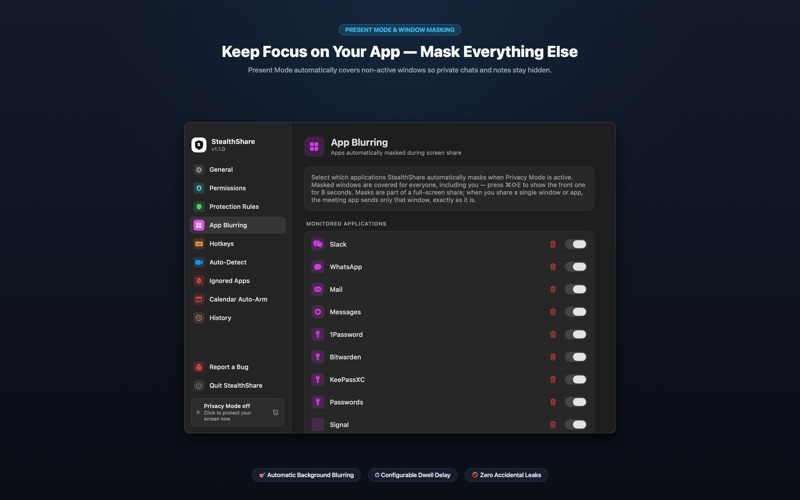
◆ PRESENT MODE: AUTOMATIC BACKGROUND MASKING Keep your audience focused exactly where you want. Present Mode automatically overlays a clean, click-through privacy blur over all background windows, leaving only your active application visible. As you switch windows, StealthShare dynamically maintains focus while keeping your background private.
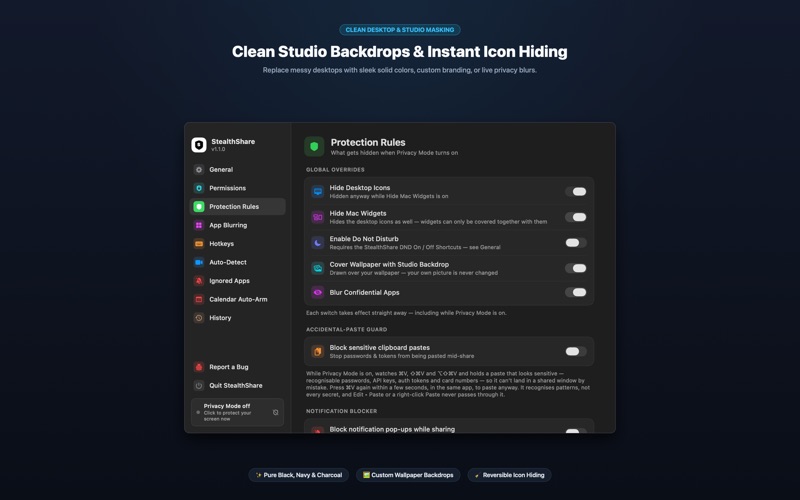
◆ INSTANT DESKTOP ICON & WIDGET HIDING Instantly clear messy desktop folders, downloaded files, and personal widgets without moving or deleting a single file. When Privacy Mode ends, your desktop layout is restored exactly as you left it.
◆ PROFESSIONAL STUDIO BACKDROPS Replace personal wallpapers, family photos, or cluttered screens with a distraction-free studio backdrop. Choose from Pure Black, Dark Charcoal, Solid Navy, a live Privacy Blur of your existing wallpaper, or your company's custom branded backdrop.
◆ SMART CLIPBOARD SANITIZER & SECRET GUARD Prevent accidental credential leaks before they happen: • Automatically strips rich text formatting (RTF/HTML) to plain UTF-8 text. • Configurable auto-clear timer clears sensitive copied data after 10 to 300 seconds. • Paste Guard monitors for leaked API keys, tokens, AWS credentials, and passwords, requiring a double-press confirmation before pasting mid-meeting.
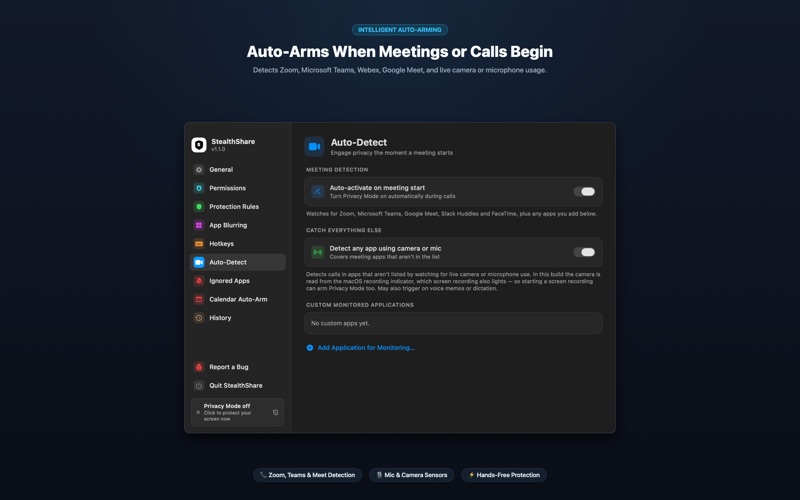
◆ INTELLIGENT AUTO-ARMING FOR MEETINGS & CALLS Never forget to turn on protection: • Meeting Detection: Automatically arms the moment Zoom, Microsoft Teams, Webex, Google Meet, Slack Huddles, FaceTime, or Screen Recording opens. • Camera & Mic Sensors: Arms automatically when your camera or microphone becomes active. • Calendar Auto-Arm: Integrates with Apple Calendar to arm privacy mode 1 to 5 minutes before scheduled video calls begin.
◆ 100% PRIVATE & ON-DEVICE StealthShare requires zero cloud accounts and transmits zero personal data. All window masking, clipboard sanitizing, and meeting detection calculations run strictly on your Mac.
BUILT FOR MACOS StealthShare is engineered natively for macOS Sonoma and Sequoia with multi-monitor support, macOS Spaces compatibility, and minimal battery consumption.
People rate it
Sign in to rate this app. Honest is what counts.
No ratings yet. Tried it? Be the first to rate it.