
Stitch Garden: Cross Stitch
Not claimedTurn your cross stitch chart into a working companion
By Taras Pavliuchyn · LifestyleWhy we expect it: A clear, well-documented tool for cross stitchers, with useful progress tracking and a sample chart to explore.



About
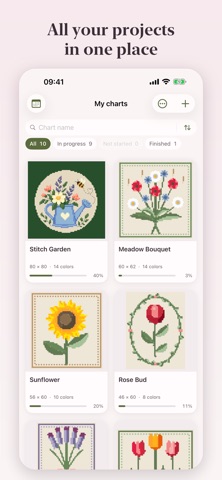
Turn your cross stitch chart into a working companion. Highlight a thread colour, mark completed stitches and see your progress grow.
Open Pattern Maker (.xsd), Open Cross Stitch (.oxs), PCStitch (.pat) and PDF charts exported from design software — not scans or photos of paper charts. A sample chart is included, so you can explore the app as soon as you open it.
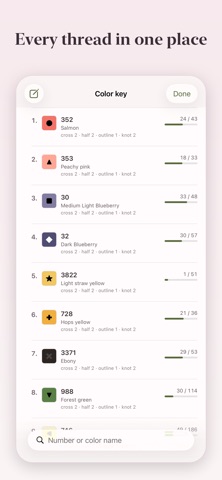
STITCH WITH EASE • Tap or drag to mark completed stitches. Erase marks, undo and redo. • Highlight each symbol to find its stitches across the whole chart. • See how many stitches to work in each run, along rows, columns or both — without counting each square on the screen. • Keep track of parked needles so you know where to return. • Select a rectangular or freehand work region to focus on one part of the chart. • Find your way around large charts with the navigator and rulers. • Mark the centre of the chart. • Use the app in any of eleven languages.
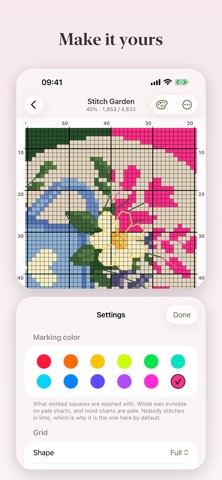
YOUR CHART, YOUR WAY • Rotate the chart in quarter turns to match the way you position your canvas. • Customize the symbols in your colour key. • Adjust grid line thickness and show or hide symbols. • Pick the color you want to highlight completed stitches. • Track your work with full and fractional stitches, backstitch, French knots and beads.
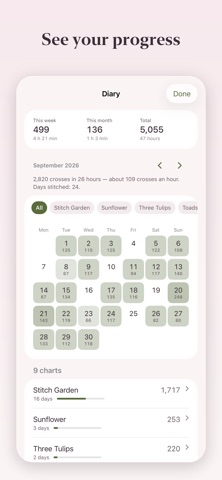
SEE YOUR PROGRESS • Look back over your stitching days in a calendar, with a monthly breakdown by project. • See weekly, monthly and total stitch counts, daily bests, streaks and stitching speed. • Track your stitching sessions, with long pauses excluded. • Get an estimated finish date based on your pace.
CAPTURE PHOTOS AND VIDEOS • Save photos of your work with a record of your progress at the time. • Create a video of your chart filling in or a slideshow of your progress photos. • Show the chart alongside your photos and export a vertical video to share.
PLAN YOUR MATERIALS • Estimate thread and bead quantities. • Calculate fabric size from your fabric count and chosen margins. • Add your own prices to estimate project costs. • Build a shopping list that takes your existing thread stash into account. • Use metric or imperial measurements.
CONTINUE ON ANOTHER DEVICE • Export and import progress to continue on another device with the same chart. • Sync your charts and progress between iPhone and iPad seamlessly.
PDF compatibility and the stitch types imported depend on how the chart was created. Scans and photographs of paper charts are not supported.
One purchase. No subscription, ads or tracking. No need to create any separate account or complete registration.
People rate it
Sign in to rate this app. Honest is what counts.
No ratings yet. Tried it? Be the first to rate it.