
SyncToHealth
Not claimedSyncToHealth turns the FIT files from your Garmin device into complete workouts in Apple…
By Ricardo Dantas Goncalves · Health and fitnessWhy we expect it: Its detailed description, clear Receipt feature and private on-device design make the value easy to understand.




About
SyncToHealth turns the FIT files from your Garmin device into complete workouts in Apple Health: the full route, every heartbeat, power, cadence and heart-rate zones.
Everything happens on your iPhone, with no account and no server.
A Receipt shows exactly what reached Apple Health, and what didn't.
WHAT GETS IMPORTED Most exports keep a summary. SyncToHealth keeps the whole recording, whenever your file has it: • Full heart-rate series, every sample, and your device's own heart-rate zones • GPS route with elevation gained and lost • Cycling power, cadence and speed • Distance, active and resting calories • Laps, written as segments • Pool and open-water swims, with stroke style and stroke count for pool swims • Triathlons, leg by leg with transitions
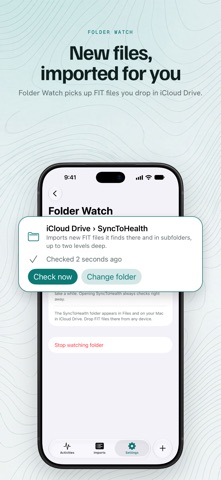
HOW YOUR FILES GET IN • Share a workout from the Garmin Connect app with Export Original • Share FIT files from Files or Mail. With AirDrop, they arrive in Files › Downloads first • Import your whole history from Garmin's account export (ZIP) • Watch a folder, such as iCloud Drive, and import new files as they appear • Use the Import FIT files action in Shortcuts
A RECEIPT FOR EVERY IMPORT See exactly what reached Apple Health, with sample counts, and why anything was skipped. When a value has no place in Apple Health, SyncToHealth tells you instead of guessing.
NO DUPLICATES SyncToHealth recognises every workout it has written, so importing the same file again never creates a second one. If another app already wrote a simpler copy of the same session, SyncToHealth skips it, and the Receipt shows exactly what's missing so you can replace it with the full version.
PRIVATE BY DESIGN Your files are read on this iPhone and never sent to us. There's no account and no SyncToHealth server. Your import status and settings sync through your own iCloud. If you choose to keep your original files, they're saved in your own iCloud Drive.
ONE-TIME PURCHASE Pay once. No subscription, no in-app purchase. Everything works right after you install it.
REQUIRES An iPhone on iOS 27, with Apple Health.
SyncToHealth works with FIT files from Garmin devices. It is an independent app and is not made by, affiliated with or endorsed by Garmin or Apple.
People rate it
Sign in to rate this app. Honest is what counts.
No ratings yet. Tried it? Be the first to rate it.