
Tear Line: Thread Splitter
Not claimedYour whole thought
By VinWare LLC · Productivity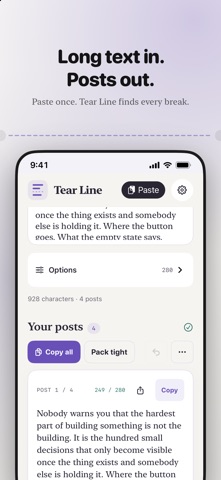






In short
Tear Line: Thread Splitter is an iPhone and iPad app that turns long writing into a thread. You paste text, pick a character limit, and adjust where each post breaks before copying or sharing. It processes text on the device, has no account, and keeps draft text only for the current session.
Summary by Debuts, based on the App Store listing.About
Your whole thought. One post at a time.
Tear Line helps you turn long writing into a thread, without losing control of where each post ends. Paste your text, choose a character limit, and refine the breaks before you copy or share.
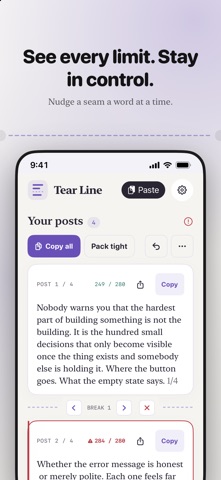
BREAK WHERE IT MAKES SENSE Automatic splitting looks for natural sentence and paragraph boundaries. Tap a word to start a new post there, move a break one word at a time, or merge neighboring posts. Undo lets you step back through break edits.
MAKE EVERY POST YOURS • Choose 280, 300, 500, or 4000 characters, or enter your own limit. • Use Pack tight to fit more text into each post. • Add post numbering, such as 1/3. • Add an ellipsis, dash, arrow, or custom ending. • Leave the last post's ending off for a clean finish. • Remove single periods at line breaks. • See a live character count and clear over-limit warnings.
COPY, SHARE, KEEP YOUR PLACE Copy posts individually and see which ones you have already copied. Share a post using the system share sheet, or copy the whole thread with your choice of separators.
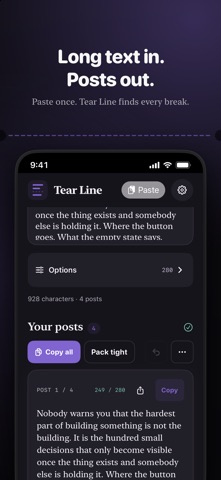
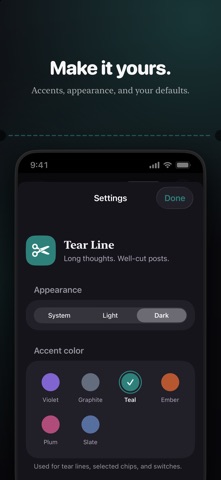
A QUIET SPACE TO WRITE Use Tear Line on iPhone or iPad, in light or dark mode, with six accent colors. Your splitting and appearance preferences are remembered between launches.
WORKS OFFLINE All text splitting happens on your device. Tear Line has no account, advertising, or analytics SDKs, and does not upload your writing to a server. Copying uses the system clipboard; sharing sends only the text you choose to the destination you select.
GOOD TO KNOW Draft text is kept for the current session, not saved as a document. Copy or share anything you want to keep before closing the app. Character counts use Unicode scalars; the service where you post may count emoji, links, or other text differently. Check its counter before publishing.
No ads, subscriptions, or in-app purchases.
People rate it
Sign in to rate this app. Honest is what counts.
No ratings yet. Tried it? Be the first to rate it.
More Productivity apps
Best new Productivity apps this week ChickMark: Habit TrackerChickMark is a simple habit tracker for routines, goals, and reminders
 Dayflint: One Thing a DayToo many priorities?
 Snappy Do ItSix connected modes. One traceable journey.
 Fristo CAFMFristo is the app for Fristo CAFM, the facility management software
 UhWhat? Voice NotesCatch the thought before it disappears
- BeginAnywayMorning alarm for hard tasks: set one task, prove you started, build a streak