
Tegaro: Dictation & Clipboard
Not claimedA private Mac workspace for local dictation, manual EN/RU layout conversion, Clipboard…
By Nikolai Iakubovskii · Productivity




About
A private Mac workspace for local dictation, manual EN/RU layout conversion, Clipboard History, screenshots and practical system tools.
DICTATION AND TEXT Download a speech model, allow microphone access when you choose to record, then review, edit and manually copy the transcript. Recognition runs locally after the model is installed. The layout converter changes EN/RU keyboard characters inside Tegaro; it does not type into other apps or translate languages.
Turn on Clipboard History to keep text and images you choose to copy. Search recognised text in saved images with OCR, copy an item, or delete it. Capture is opt-in.
SCREENSHOTS Capture a screen or window, then crop and edit it locally: blur, pixelate, add text or annotations, and review private information before saving or sharing.
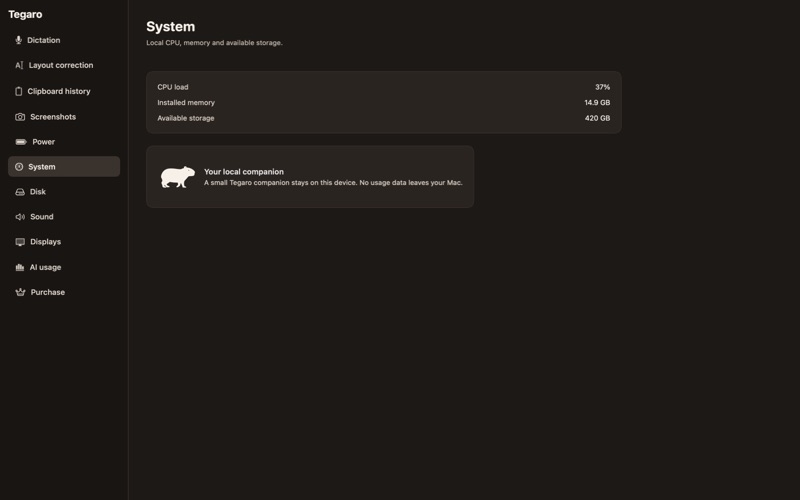
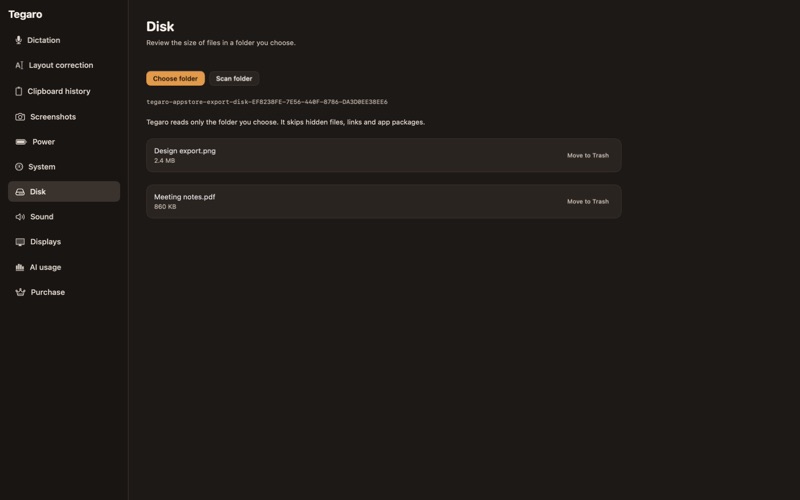
MAC UTILITIES Choose the current input and output device, adjust a device's available volume or mute control, and choose resolutions offered by macOS. Review selected folders before analysing their space; cleanup moves only confirmed items to Trash. Keep the Mac awake on a timer and view battery, CPU, memory and disk metrics with a Critter.
LOCAL AI SNAPSHOTS Import local usage-statistics snapshots for reference. Tegaro displays usage counters only; it does not sign in or fetch live quotas.
PRIVACY AND ACCESS Content stays on your Mac. Model downloads need an internet connection. Screen Recording is requested only when you capture a screenshot; microphone access is requested only when you record dictation. No Tegaro account is required.
FREE AND PRO The local 14-day trial unlocks Pro features. After it ends, Free includes manual layout conversion, text Clipboard History, utilities, disk analysis, local AI snapshots, and 2,000 dictation words each week. Pro unlocks unlimited dictation, image Clipboard History with OCR, screenshots, and confirmed Disk Trash cleanup. Existing items remain usable after access ends.
Requires macOS 13 or later. Apple purchases apply only to this Mac App Store edition; Tegaro website licenses do not transfer automatically. The local trial is not an Apple introductory offer and does not start a subscription.
Privacy: https://tegaro.app/privacy Terms: https://www.apple.com/legal/internet-services/itunes/dev/stdeula/
People rate it
Sign in to rate this app. Honest is what counts.
No ratings yet. Tried it? Be the first to rate it.
More Productivity apps
Best new Productivity apps this week ChickMark: Habit TrackerChickMark is a simple habit tracker for routines, goals, and reminders
 Dayflint: One Thing a DayToo many priorities?
 Fristo CAFMFristo is the app for Fristo CAFM, the facility management software
- BeginAnywayMorning alarm for hard tasks: set one task, prove you started, build a streak
 DHUDEDHUDE Analityxs es la herramienta de gestión diaria para grupos de restauración y ocio…
 Unlocky: Training App BlockerLock the apps that eat your day